Guide Mind maps
A 3D mind map, made of your real work
“Is there a 3D mind map?”
CoordXYZ is an intelligent 3D mind map. Every board is a level along the Z axis: in the side view (press V on a computer, or turn the iPad slowly to the right) the levels stand apart in 3D, and the map shows every board as one mind map. The map is made of your real notes, lists, pictures and files, so it is useful every day, not only to look at.
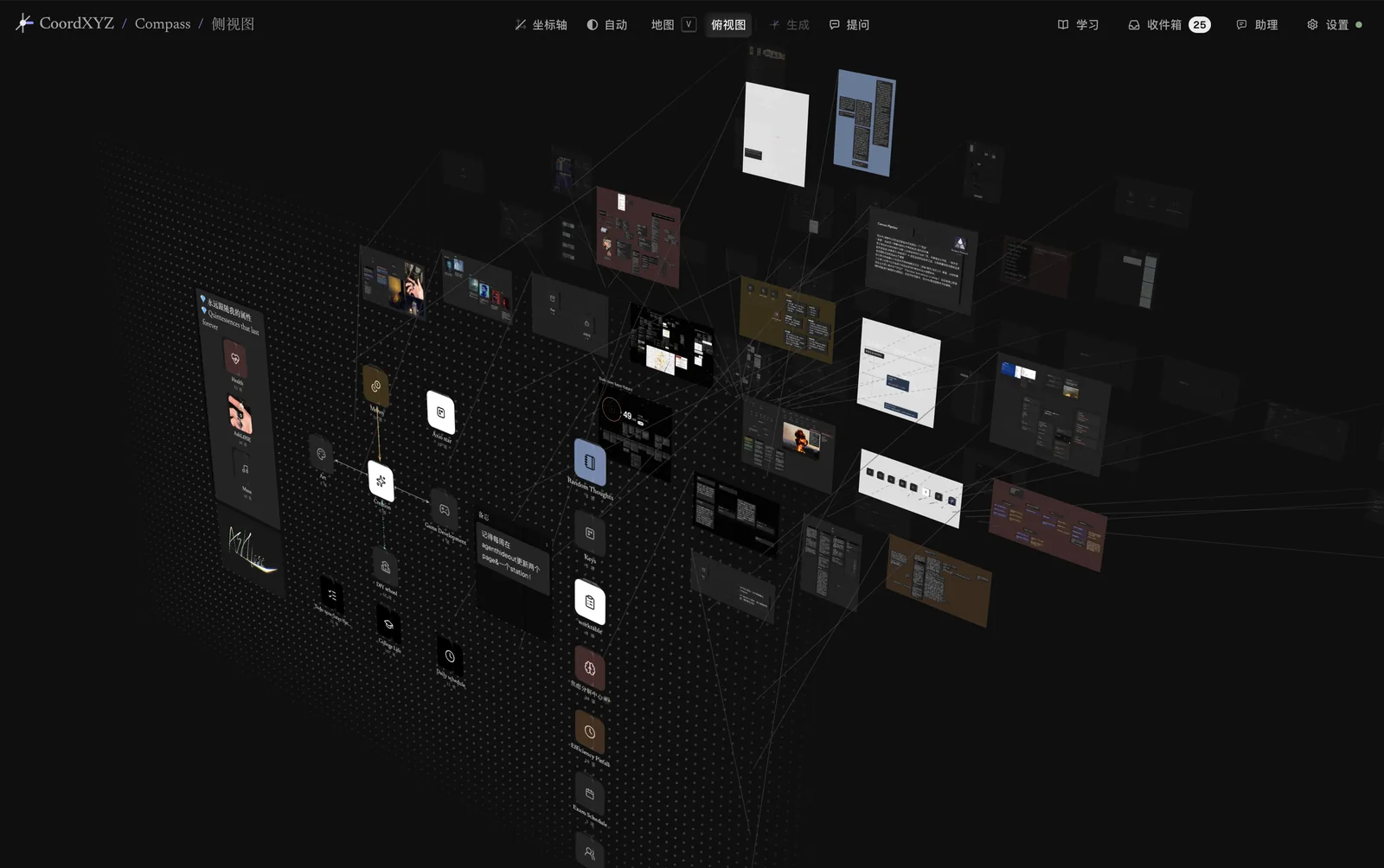
The 3D mind map
A Life Compass in the side view. Every board inside it, and every board inside those, stands apart as a layer along Z, joined by the lines between them. A tap on a layer goes straight in.
How the third dimension works
X and Y are where a thing sits on a canvas. Z is how deep it is: a board holds a canvas of its own, a board on that canvas holds another, and so on. A flat mind map folds the deep parts away; CoordXYZ stands them apart, so the whole of it can be seen at once.
The side view
Press V on a computer. Each level stands apart along Z, joined by the lines between its boards; a tap on a layer goes straight in.
The map
Press V again, and every board becomes a branch, from the root out to the deepest level, in 2D or in 3D.
The turn
On iPad and iPhone, turn the device slowly to the right and the canvas turns into the side view in your hand; a quick flick back returns.
Real work on every level
A branch can hold notes, to-do lists, tables and charts, pictures, videos, PDFs and code, not only a word.
Make one in a minute
- A board for the subject. Draw a square (on a computer, drag with the right mouse button held, or with Shift held on a trackpad; on an iPad or iPhone, hold a finger still, then drag) and name it after your subject. Double-click to go in.
- A board for each branch. Inside, draw a board for each main branch; go into a branch and draw its own. Each level is a canvas, with room for whatever that branch needs.
- Or ask the AI. Press / and type "a mind map of the French Revolution": it builds the centre and its branches as notes joined by arrows, as a preview you keep or try again. When a branch needs more room, give it a board of its own.
- See it in 3D. Press V for the side view, and V again for the map.
Other 3D mind maps
Some apps draw a mind map's words as nodes floating in 3D space, or in virtual reality. CoordXYZ's third dimension is the depth of your own boards: each level is a whole canvas, so a branch can be a plan, a picture board or a set of lecture notes, and the map is the same thing you work in every day. If what you want is a diagram of words to present, a classic mind-map app may be simpler; if you want your ideas, and the work they grow into, in one map, CoordXYZ is made for that.
What it looks like
The turn into 3D (moving)
A canvas turning into the side view and back: every level inside the board stands apart along Z.
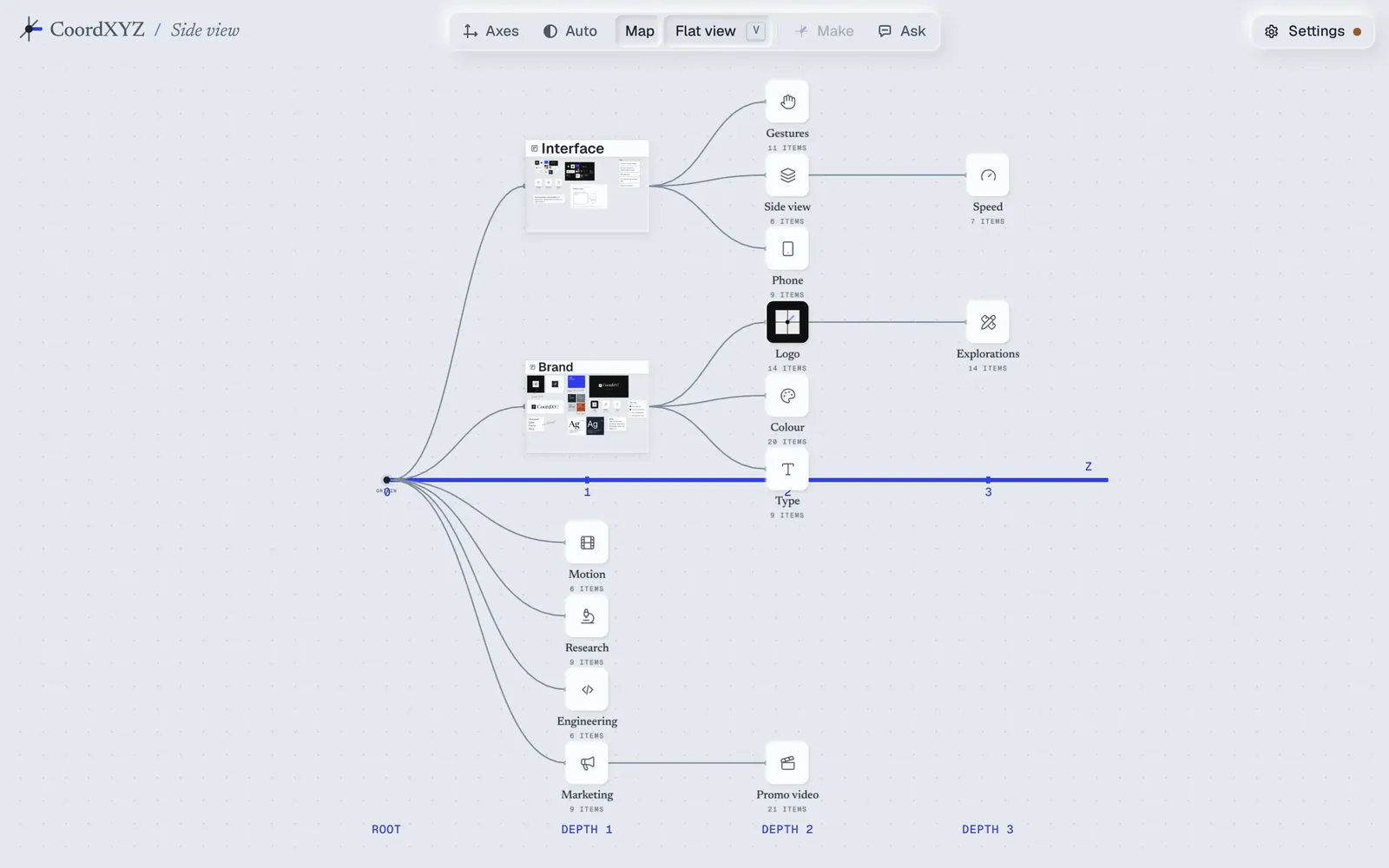
The map
A design guideline's boards as one mind map, from the root out to three levels deep.
Questions
Is CoordXYZ a mind map app?
Yes, and a canvas for everyday work at the same time. Ask the AI for a mind map and it builds one as notes joined by arrows; and every board you make is already part of a map that you can see in 2D or in 3D.
Can the AI make a mind map for me?
Yes. Press / and ask, for example "a mind map of my exam topics". It can also make one from a PDF, a Word file or slides dropped on the board: select the file, choose Make from this… and ask for one.
Does the 3D view work on every device?
Yes: with V on a computer, and by turning an iPad or iPhone. Where a browser has no WebGL 2, the side view still draws every board and the Z axis.
Can I get my mind map out?
Any canvas saves as a .cxyz file, an open, documented format, so your work is never locked in.
Try it
CoordXYZ runs in any modern browser on a computer, with nothing to install, and as apps for Mac, Windows, iPhone and iPad. One account keeps them in sync as you work, and it keeps working offline.
More guides
- Turn a PDF into a mind map“Can I turn a PDF or a document into a mind map?”
Drop the file on a board, choose Make from this…, and ask for a mind map.
- A Milanote alternative with depth you can see“Is there an app like Milanote, but where I can see every board at once?”
Boards inside boards too, and every level seen at once, in 3D and as a map.
- A Life Compass: your whole life on one board“Is there an app that can guide my life, like a life compass or a life dashboard?”
One board for a whole life, a board for each part of it, seen at once in 3D.
3D 思维导图:用你真实的内容搭成
“有没有 3D 思维导图?”
CoordXYZ 是一张智能 3D 思维导图。每张看板是 Z 轴上的一层:在侧视图里(电脑上按 V,iPad 上向右慢慢转动)各层立体展开,地图把所有看板连成一张导图。这张导图由你真实的笔记、清单、图片和文件组成,每天都用得上,不只是用来看的。
一分钟做一张:画一个正方形(看板)写上主题,双击进去;为每个分支各画一张看板,再进去画它的分支。也可以按 / 输入“法国大革命的思维导图”,AI 会把中心和分支生成为用箭头相连的笔记。按 V 看 3D,再按一次 V 看地图。