Guide Organizing a life
A Life Compass: your whole life on one board
“Is there an app that can guide my life, like a life compass or a life dashboard?”
Yes. CoordXYZ is designed to help you organize your life and career, and many people turn it into their Life Compass: one board for their whole life, with a board for each part of it, from today's tasks and their health to how they'd introduce themselves and what they want from life. Each part grows as deep as it needs, and the side view shows the whole life at once, in 3D.
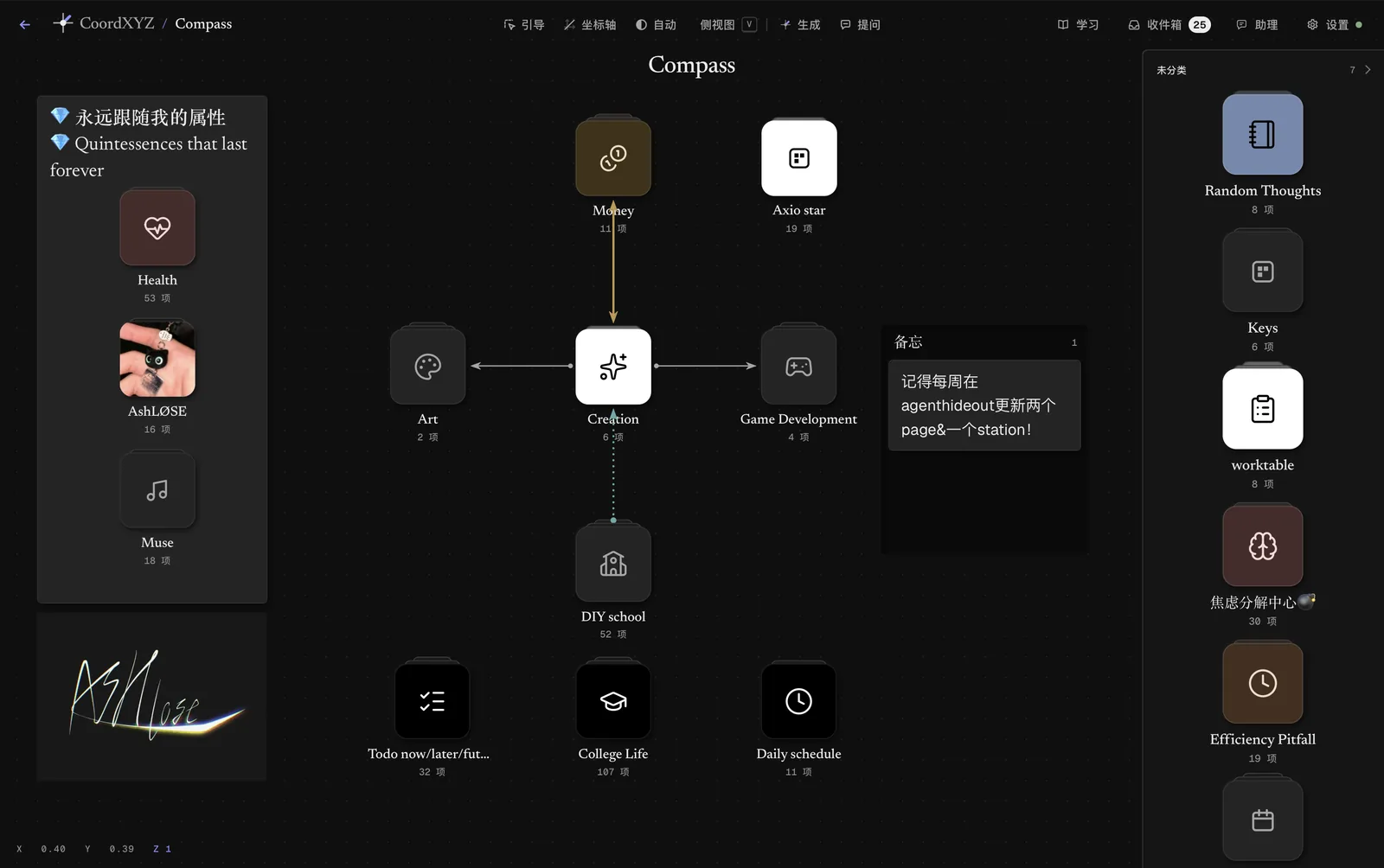
Life Compass
Creation at the centre, with Money, Art and Game Development around it; DIY school, College Life, to-dos for now, later and the future, and a daily schedule below; on the left, the things that last, Health among them. Arrows show what feeds what, and ideas not placed yet wait in Unsorted, on the right. (The app's bar is in Chinese.)
How to make your own
- One board for your life. Draw a square (on a computer, drag with the right mouse button held, or with Shift held on a trackpad; on an iPad or iPhone, hold a finger still, then drag): a square makes a board. Name it, Compass or your own name, and double-click to go in.
- A board for each part of it. Inside, draw a board for each part of your life: health, money, work or school, what you make, the people who matter. Start with the parts on your mind today; the rest can come later.
- Who you are, at the top. A long, thin rectangle makes a text box: write how you'd introduce yourself and what you want from life. These are the lines you'll come back to.
- Today beside the long run. A tall rectangle drawn upward makes a to-do list: one for now, one for later, one for the future. Templates such as Today, Weekly plan, Habit tracker and Year goals give a part a start: open an empty board and choose one at the bottom right.
- Arrows for what feeds what. The course that feeds a career, the habit that feeds your health. Ideas you can't place yet go into Unsorted, the tray at the edge of every level.
- The whole life at once. Press V on a computer, or turn the iPad slowly to the right, and every level stands apart in 3D; the map shows every board as one mind map. A tap on a layer goes straight in.
Why a compass, not a list
A to-do list says what is next, and a set of goals says where you are going. A Life Compass keeps both on one canvas, so a busy day can be read against the life it belongs to.
Calm at the top, deep inside
The top level holds a few boards, not a hundred notes. Each opens into a canvas of its own, as deep as that part of life needs.
Seen at once, in 3D
The side view stands every level apart along Z, and the map shows every board as one mind map: a whole life, at a glance.
On every device
The web, Mac, Windows, iPhone and iPad, in sync as you change them, and it keeps working offline.
AI when you want it
Ask for a part in one sentence ("a habit tracker for sleep, running and reading") and keep what fits. Ask questions of your own boards: "what did I plan for this month?"
What it looks like
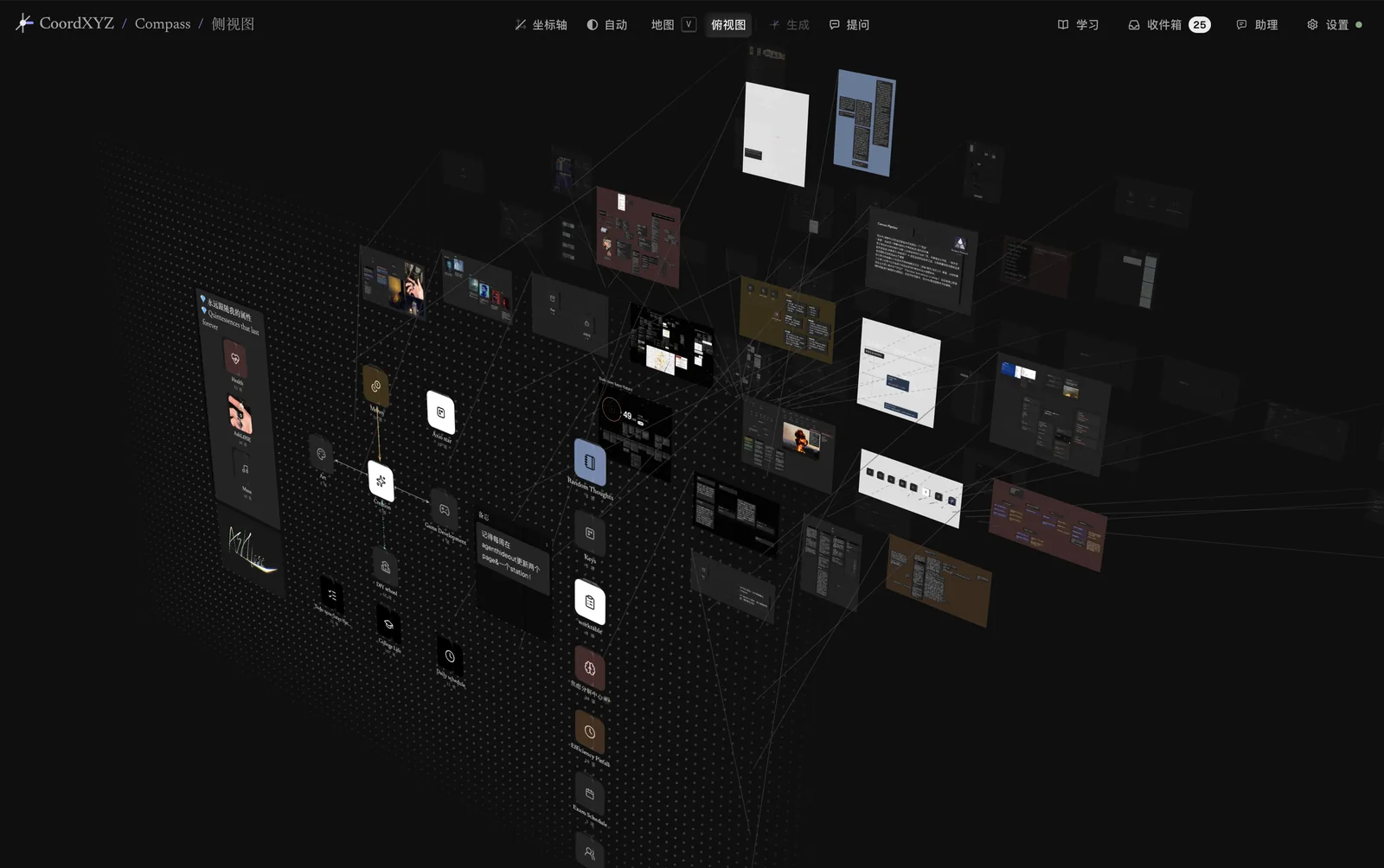
The 3D mind map
The same Life Compass in the side view: every board inside it, and every board inside those, stands apart as a layer along Z.
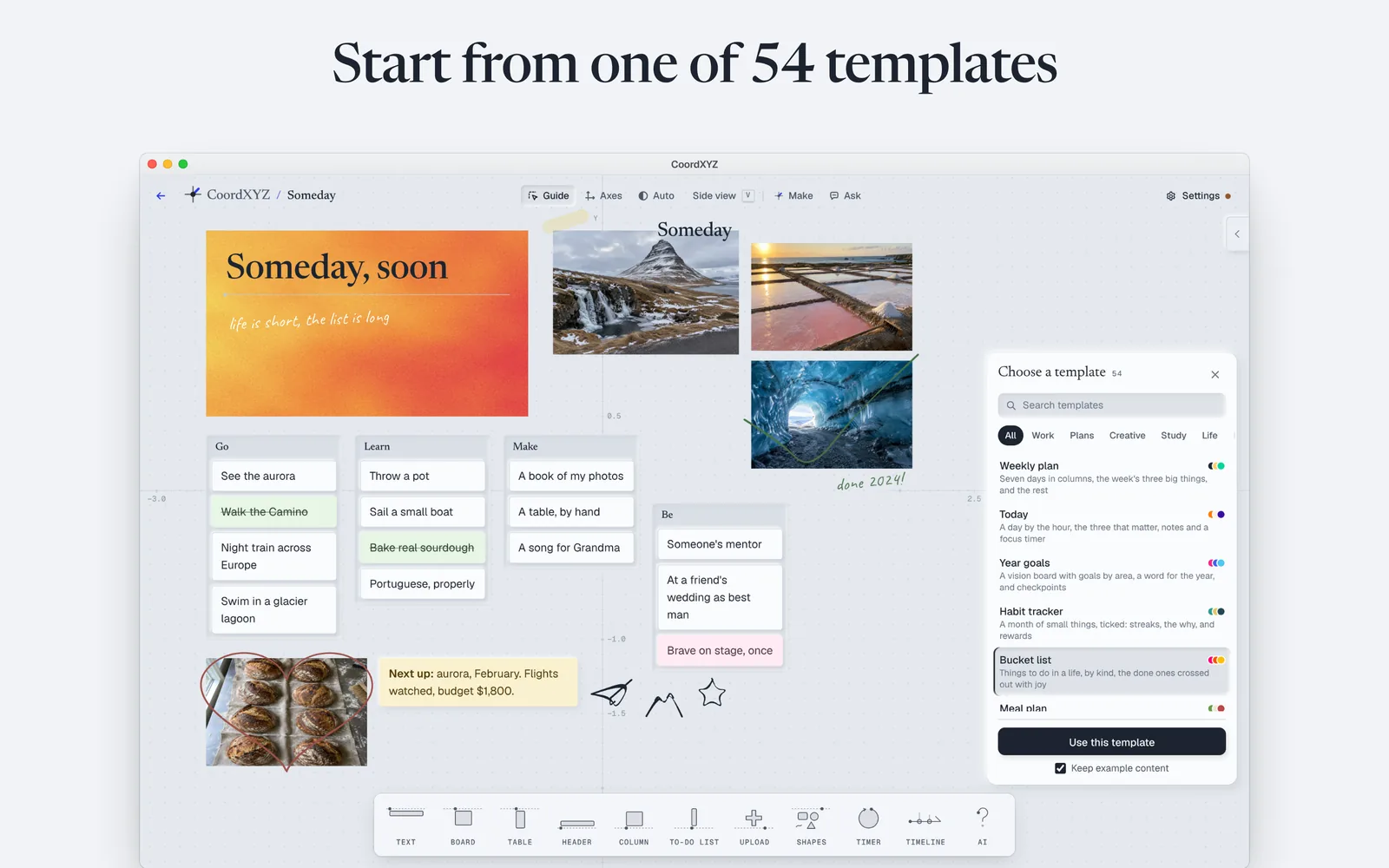
Templates
54 templates to start a part from, by scenario; here Bucket list, previewed on the board.
Questions
What is a Life Compass?
A board for a whole life, with a board for each part of it: daily tasks, health, money, work or school, creative work, the people who matter, how you'd introduce yourself and your lifelong pursuits. In CoordXYZ each part is a canvas of its own, as simple or as deep as it needs. (In Chinese: 人生仪表盘.)
Is it the same as a life dashboard or a life OS?
Close. A life dashboard is usually one screen of numbers and habits, and a life OS a set of linked pages. A Life Compass can hold those too (a habit tracker, a table shown as a chart), but it is a map of a life first: what you want from it, and what you are doing about it today.
Do I have to set it all up before I start?
No. Start with the one part that's on your mind today and add the others as they come. There are no fields or properties to set up, and ideas you can't place yet wait in Unsorted.
Is it private?
Yes. Your canvas is never sold and never used to train AI models. A board is shared only if you send its link (sharing comes with ProXYZ and UltraXYZ), and any canvas can be saved as a .cxyz file, an open, documented format.
Is it free?
There is a free trial with 100 objects, 200 MB of storage and 200 AI credits. ProXYZ and UltraXYZ have no cap on objects and add AI credits every month and more storage, from $5.90 and $12.90 a month, paid yearly.
Try it
CoordXYZ runs in any modern browser on a computer, with nothing to install, and as apps for Mac, Windows, iPhone and iPad. One account keeps them in sync as you work, and it keeps working offline.
More guides
- Capture the three most important ideas in your life“My head is full of ideas and ambitions, but I don't know where to start.”
Put every idea down, then give the three that matter most a board each, every day.
- Organize a side project on one board“I want to start a side job I direct myself. Are there any tools I can use to organize it?”
The goal, a board for each part, to-dos for now and later, and a first plan from the AI.
- A 3D mind map, made of your real work“Is there a 3D mind map?”
Every board a level along Z, and the side view stands them apart in 3D.
人生仪表盘:把整个人生放在一张看板上
“有没有一个能指引人生的应用,像人生仪表盘一样?”
有。很多人把 CoordXYZ 用成了自己的人生仪表盘:一张看板装下整个人生,每个部分各是一张看板,从每天的待办、健康、钱、学业和工作,到怎样介绍自己、一生想追求什么。每个部分想多深就多深;按 V(在 iPad 上向右慢慢转动),整个人生沿 Z 轴立体展开,一眼看全。
怎样开始:按住鼠标右键拖出一个正方形,就是一张看板,起好名字后双击进去;为人生的每个部分各画一张看板;在最上面写下你是谁、想要什么;旁边放上现在、以后、将来的待办清单;还没想好放哪儿的想法,先放进“未分类”。