Guide Organizing work
Organize a side project on one board
“I want to start a side job I direct myself. Are there any tools I can use to organize it?”
Give it one board in CoordXYZ: the goal at the top, a board for each part of the work (the product, money, marketing, what to learn), to-do lists for now, later and the future, and a timer or a timeline for the deadlines. The AI can draft the first plan from one sentence, and the board grows with the project, on every device you work on.
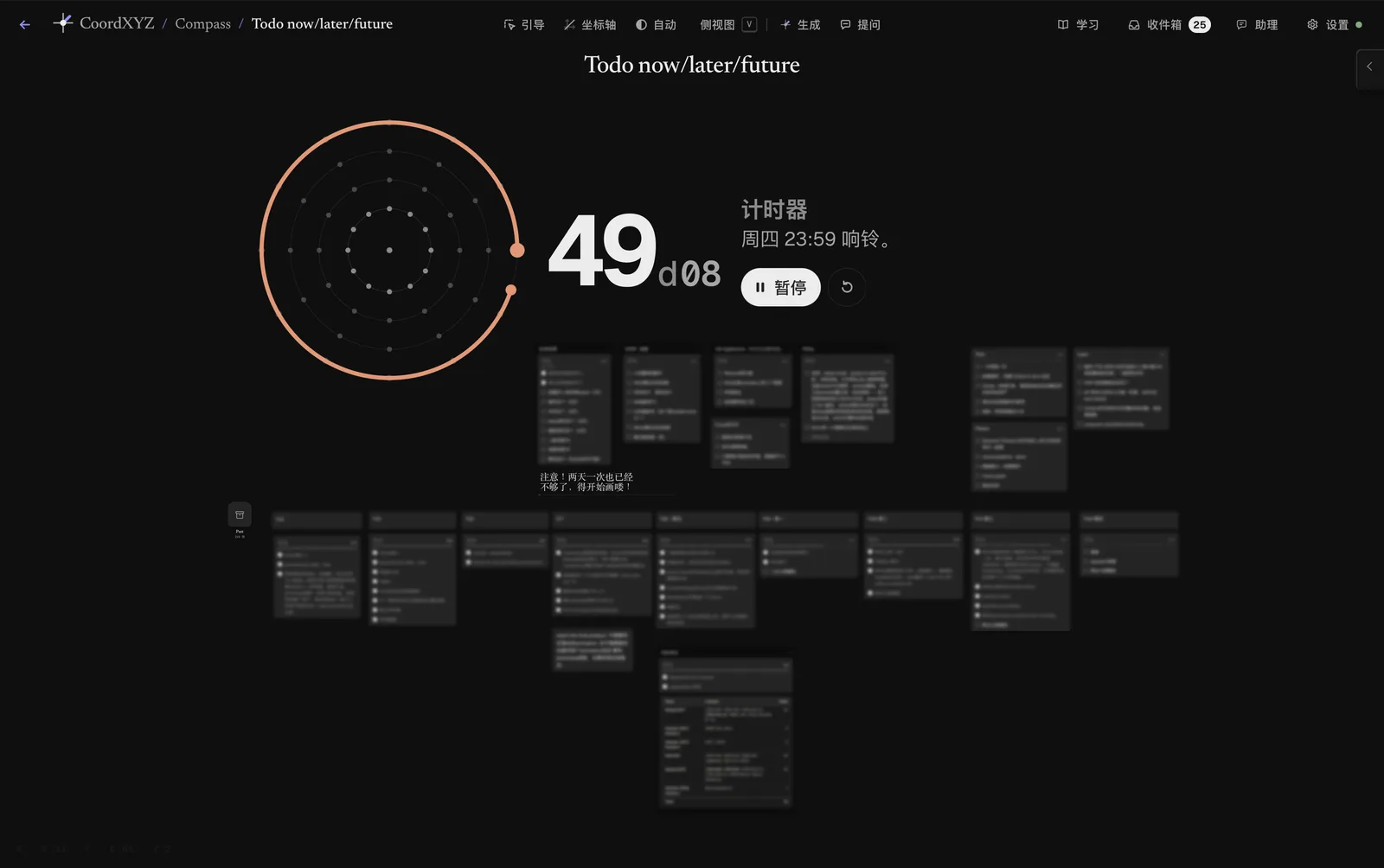
Organize tasks
A to-do board for now, later and the future: a countdown timer at the top, to-do lists by project, and a column for each day of the week. (Small personal text is blurred.)
How to set it up
- One board for the project. Draw a square (on a computer, drag with the right mouse button held, or with Shift held on a trackpad; on an iPad or iPhone, hold a finger still, then drag) and name it after the project. Double-click to go in.
- The goal at the top. A long, thin rectangle drawn upward makes a header: what you are making, and for whom. A note under it says why.
- A board for each part. The product, money, marketing, what to learn: whatever the work holds. Each opens into a canvas of its own, so the top stays a clear picture of the whole.
- To-do lists for now, later and the future. A tall rectangle drawn upward makes a to-do list, and tasks can have subtasks. Today's list stays short; the rest wait their turn.
- Deadlines you can see. A loop drawn quickly makes a countdown timer, for the launch or for the week, and a timeline lays out the months ahead.
- A first plan from the AI. Press / and type one sentence ("a launch plan for a weekly newsletter about game design"): it builds the headers, lists and tables on the canvas, as a preview you keep or try again. Or start from the Project plan or Strategy on a page template.
What one board gives you
Everything in one place
The plan, the references, the files and the numbers on one canvas, not spread over five apps.
The whole project at a glance
The side view stands every part apart in 3D, so you can see what is moving and what is stuck.
Plans that stay current
Draw an AI link from the plan to a to-do list, and the AI fills it with this week's tasks and keeps them current as the plan changes.
Wherever you work
The same board in the browser, on a Mac or a Windows PC, and on iPhone and iPad, in sync.
What it looks like
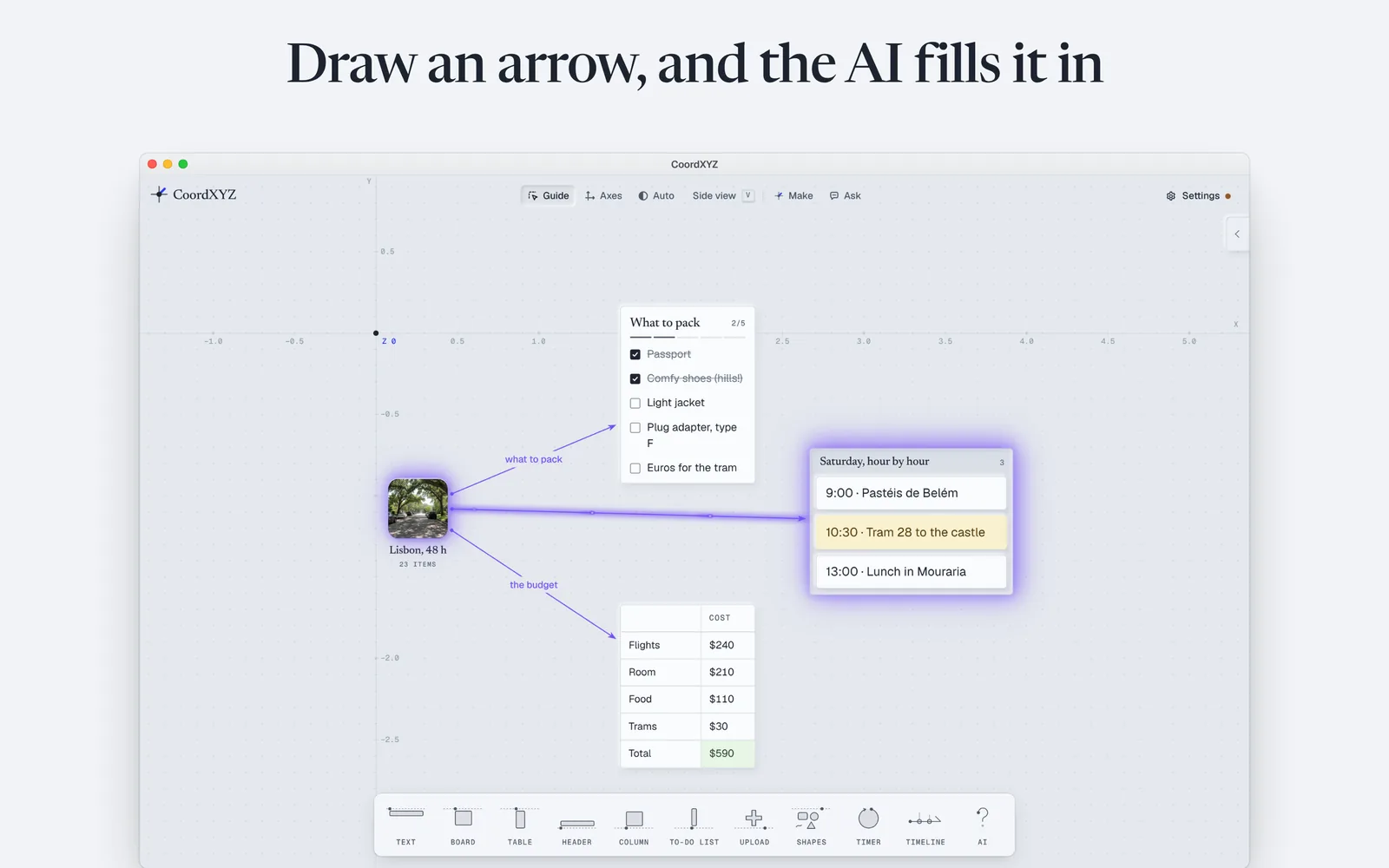
Draw an arrow, and the AI fills it in
AI links from a trip board: arrows labelled "what to pack" and "the budget" lead to a list and a table the AI wrote from the board, and a third to an hour-by-hour plan, still being written.
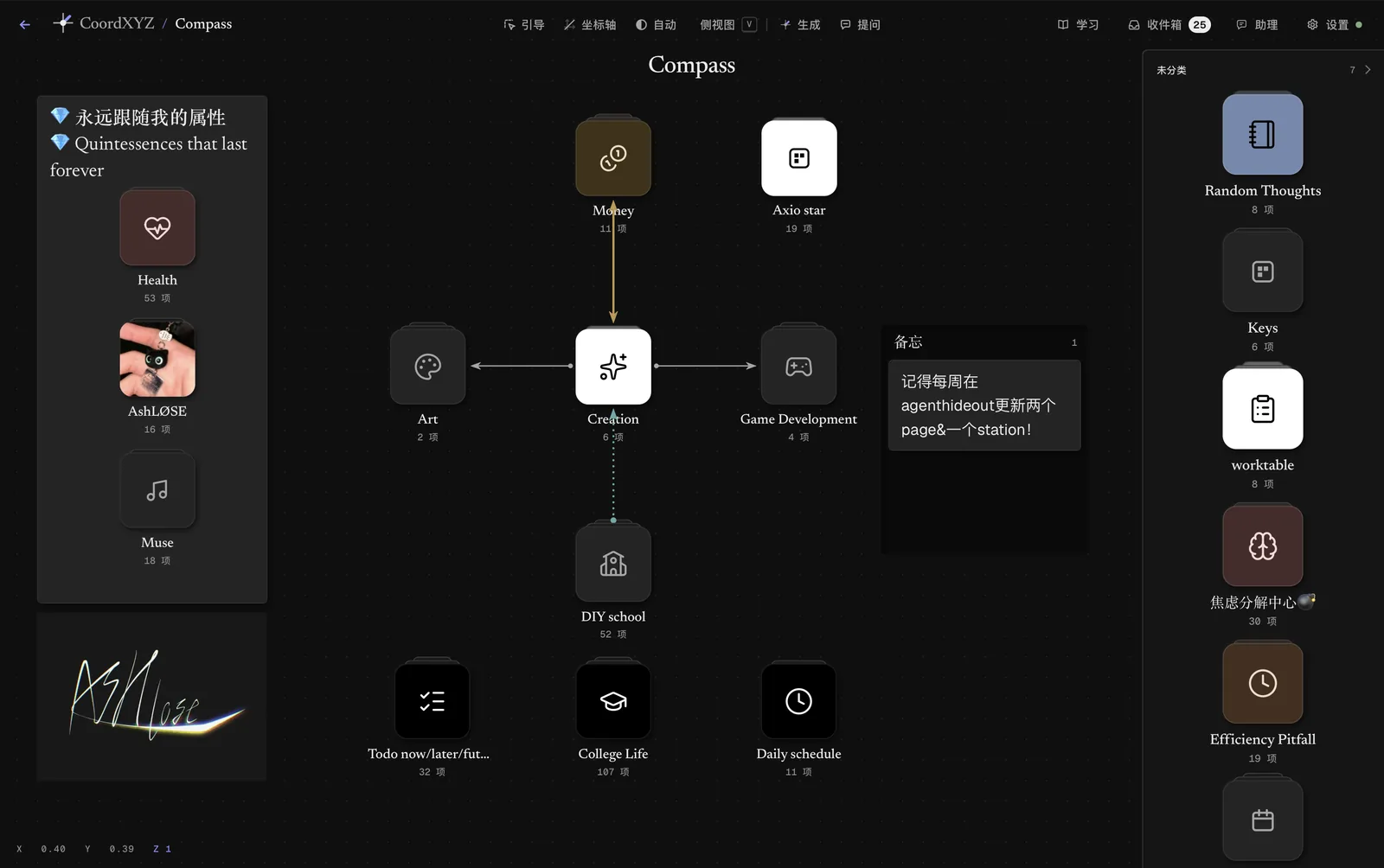
Life Compass
A side project in its place: Game Development is one board in a Life Compass, beside Money, Art and Creation. (The app's bar is in Chinese.)
Questions
Can I keep it separate from my day job?
Yes. A board is a world of its own: keep the side project in one board and your job's work in another. The side view shows both, and you go into one at a time.
Can I work on it with a partner?
Yes. Send a link to the board, to view it or edit it together, live. Sharing comes with ProXYZ and UltraXYZ.
Can it track money?
A table holds the numbers, income and costs, and can be shown as one of eight charts, switched by the button on it. The Monthly budget template is a start.
What if the plan changes?
Move things: nothing on the canvas has a fixed place. An AI link keeps a written part, like this week's tasks, current as the board it comes from changes.
Try it
CoordXYZ runs in any modern browser on a computer, with nothing to install, and as apps for Mac, Windows, iPhone and iPad. One account keeps them in sync as you work, and it keeps working offline.
More guides
- A Life Compass: your whole life on one board“Is there an app that can guide my life, like a life compass or a life dashboard?”
One board for a whole life, a board for each part of it, seen at once in 3D.
- Capture the three most important ideas in your life“My head is full of ideas and ambitions, but I don't know where to start.”
Put every idea down, then give the three that matter most a board each, every day.
- A simpler alternative to Notion“Notion is too hard. Is there a simpler one?”
A canvas you draw on, with no blocks or databases to learn first.
在一张看板上理清副业
“我想开始一份自主的副业,有什么工具可以把它理清楚?”
在 CoordXYZ 里给它一张看板:目标放在最上面,产品、钱、推广、要学的东西各一张看板,待办分成现在、以后、将来,再用计时器和时间线盯住截止日期。一句话就能让 AI 先搭出第一版计划,看板随项目一起长大,每台设备上都是同一张。
怎么搭:画一个正方形(看板),用项目命名,双击进去;向上画一个细长的长方形是标题,写下你在做什么、为谁做;向上画一个竖长的长方形是待办清单;按 / 输入一句话,比如“一份周更游戏设计通讯的上线计划”,AI 会在画布上生成标题、清单和表格,先预览,满意再保留。