Guide Capturing ideas
Capture the three most important ideas in your life
“My head is full of ideas and ambitions, but I don't know where to start.”
Put every idea down as it comes, without deciding yet where it goes. Then choose the three that matter most and give each a board of its own, where it has room to grow. CoordXYZ is designed to capture the most important ideas: each one takes seconds to put down, on any device you carry, and the three that matter stay in front of you.
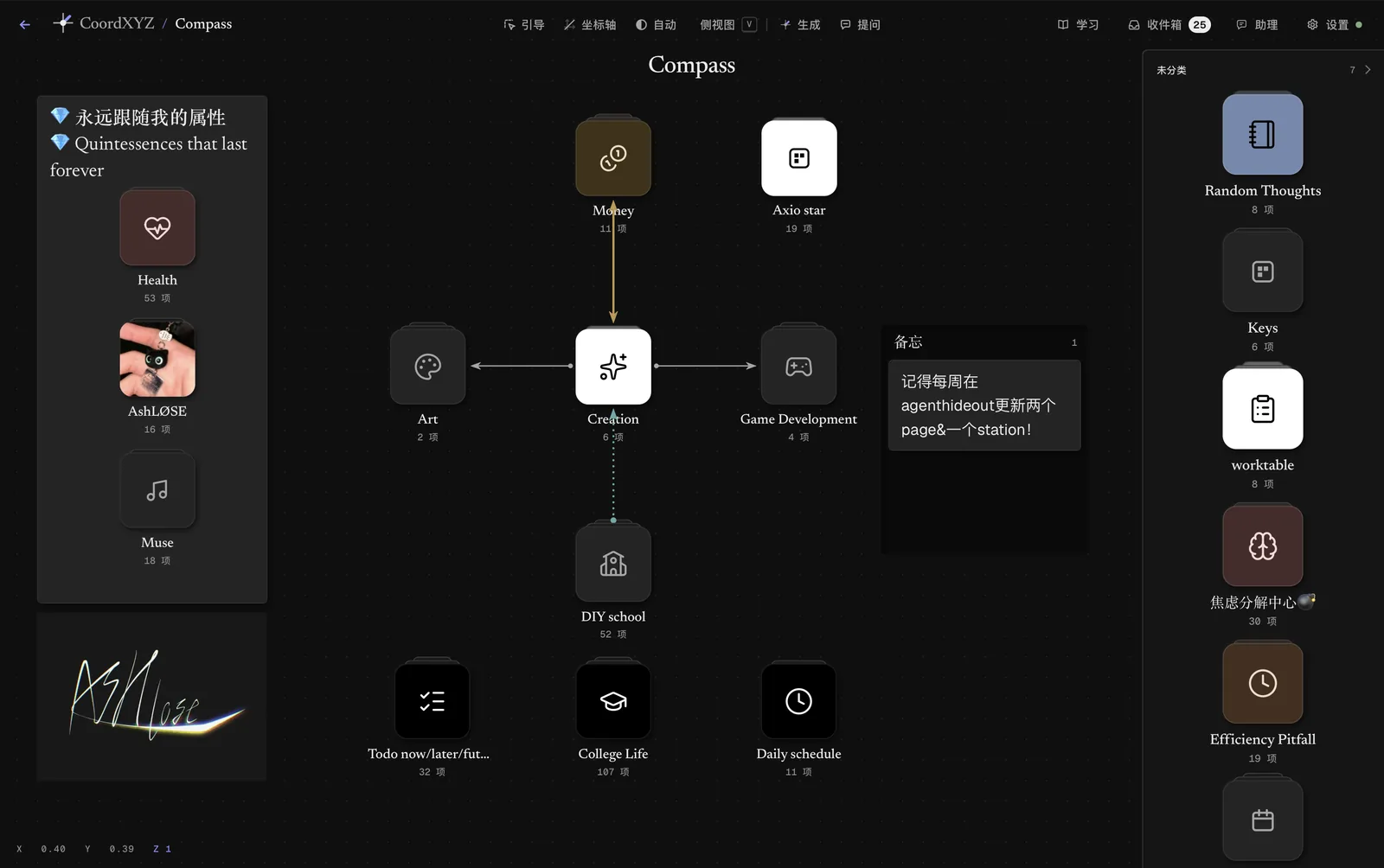
Life Compass
Boards for the parts of a life that matter, and on the right, in Unsorted, ideas not placed yet, waiting for a moment to choose. Every board opens into a canvas of its own. (The app's bar is in Chinese.)
How to do it
- Put everything down first. An idea takes seconds: draw a long, thin rectangle and type (on a computer, drag with the right mouse button held, or with Shift held on a trackpad; on an iPad or iPhone, hold a finger still, then drag), or press / and tell the AI in a sentence. Don't decide where it goes yet: drop it into Unsorted, the tray at the edge of every level.
- Once a day, choose three. Look over what came in and pick the three ideas that matter most now. Draw a square for each (a square makes a board) and drop the idea onto it: it goes inside.
- Give the three room to grow. Inside its board, an idea grows into notes, to-do lists, pictures, files and boards of its own. Ask the AI for a first plan in one sentence, and change it as you go.
- Keep the rest, safely. Ideas you didn't choose stay where you put them, and Ask finds them again when you need them: "what did I write about the podcast?"
- Keep the three in sight. Their boards sit at the top of your canvas, on the web, Mac, Windows, iPhone and iPad, in sync, and it keeps working offline.
When your mind won't settle down
“Every day my brain just can't settle down. It's full of ideas, and I can't even rest for a little.”
Give the thoughts a place outside your head. In a sleep-lab study, people who spent five minutes before bed writing a specific to-do list fell asleep faster than people who wrote about what they had already done (Scullin and others, Journal of Experimental Psychology: General, 2018). In other experiments, making a specific plan for an unfinished goal stopped it from pulling at people's attention during the next task (Masicampo and Baumeister, Journal of Personality and Social Psychology, 2011).
So before you stop for the day, put the thoughts down, typed, drawn or said to the AI, and choose the three for tomorrow; the rest can wait on the canvas. When restlessness doesn't pass, a doctor or a counsellor helps more than any app.
Why three
A person has roughly 6,200 thoughts in a day (Tseng and Poppenk, Nature Communications, 2020). Most pass, and should. A few are worth keeping, and fewer still are worth acting on now. Three is few enough to act on every day and to remember without looking. It is a place to start, not a rule: what matters is that the few that matter most are chosen, and kept in sight.
What it looks like
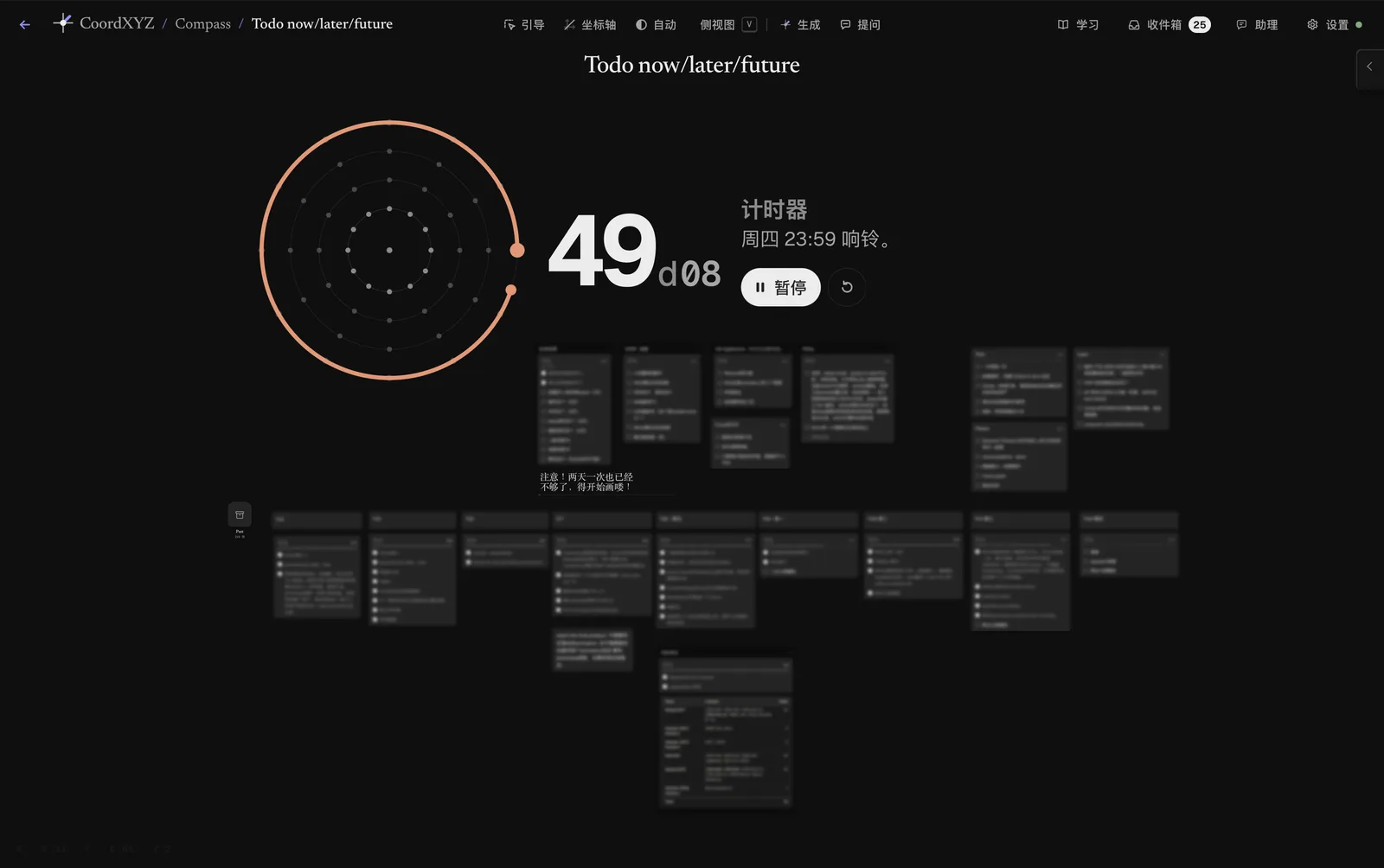
Organize tasks
Where the chosen ideas turn into work: to-do lists for now, later and the future, a countdown timer and a column for each day. (Small personal text is blurred.)
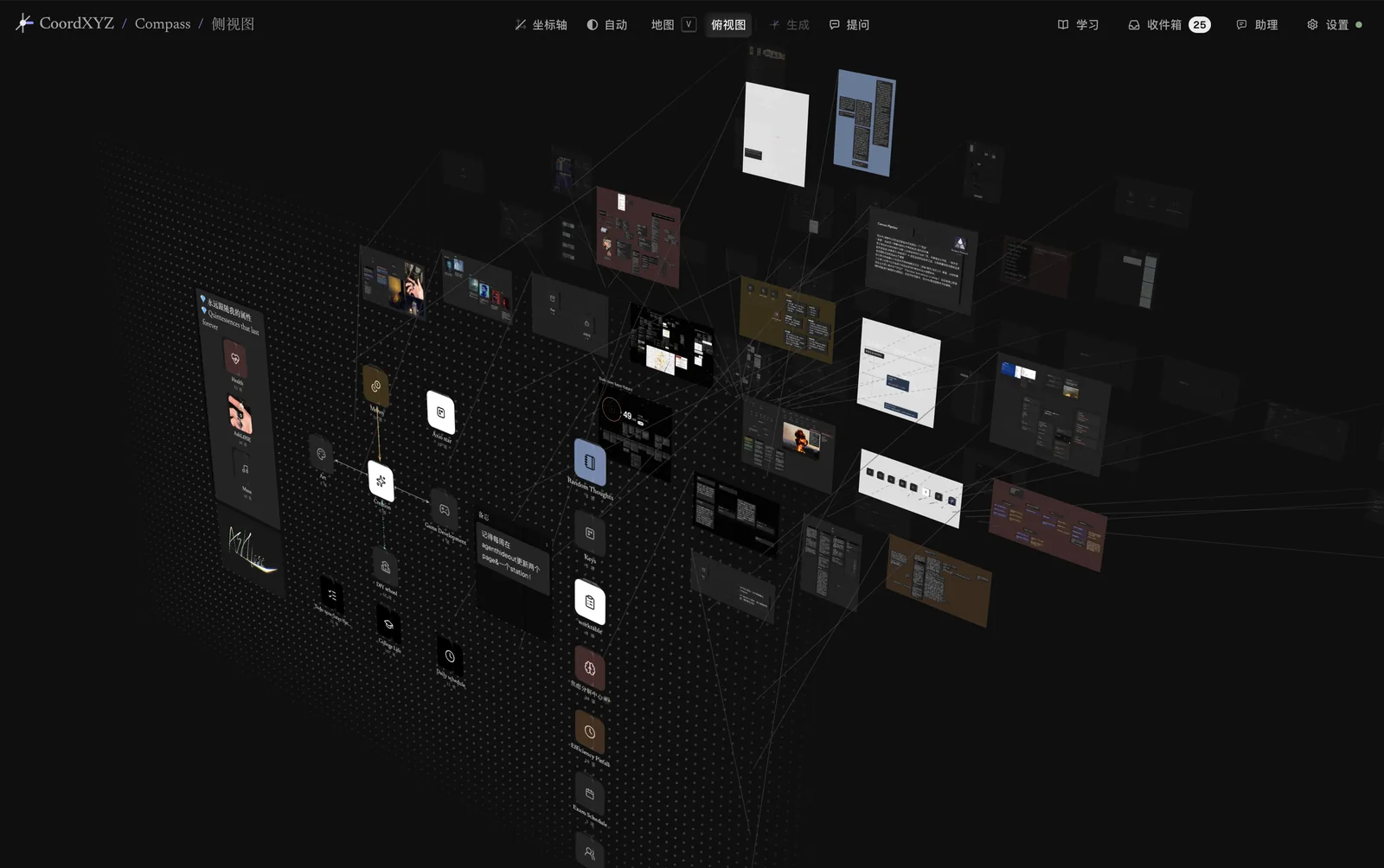
The 3D mind map
Every idea that was kept, and everything it grew into, in the side view: each board a level along Z.
Questions
Is this the same as a brain dump?
It starts as one: put everything down. The second step is what makes it useful: choosing the three that matter and giving each a board, so they turn into plans and the rest stop pulling at you.
Can I capture ideas on my phone?
Yes. CoordXYZ is on iPhone and iPad from the App Store, in sync with the web and the Mac and Windows apps: an idea put down on the bus is on your computer when you get home.
Can I say an idea instead of typing it?
Yes. Press the microphone in the AI box and say it, and the AI puts it on the canvas as a note, a to-do list or whatever it is. The AI comes with every account, the free trial's 200 credits included.
What if more than three ideas matter?
Keep them all, and choose three to work on now. The others wait on their boards or in Unsorted, and the three can change from one day to the next.
Try it
CoordXYZ runs in any modern browser on a computer, with nothing to install, and as apps for Mac, Windows, iPhone and iPad. One account keeps them in sync as you work, and it keeps working offline.
More guides
- A Life Compass: your whole life on one board“Is there an app that can guide my life, like a life compass or a life dashboard?”
One board for a whole life, a board for each part of it, seen at once in 3D.
- Organize a side project on one board“I want to start a side job I direct myself. Are there any tools I can use to organize it?”
The goal, a board for each part, to-dos for now and later, and a first plan from the AI.
- A 3D mind map, made of your real work“Is there a 3D mind map?”
Every board a level along Z, and the side view stands them apart in 3D.
留住人生中最重要的三个想法
“脑子里装满了想法和抱负,却不知道从哪里开始。”
想到什么先放下来,不用急着决定它放在哪里;再挑出最重要的三个,各给一张看板,让它们有地方慢慢长大。CoordXYZ 就是为留住最重要的想法而设计的:记下一个想法只要几秒,随身的每台设备上都能记,最重要的三个一直在眼前。
怎么做:画一个细长的长方形直接打字,或者按 / 用一句话告诉 AI;还没想好放哪儿的,先拖进“未分类”。每天挑出三个,各画一张看板(正方形就是看板),把想法拖进去。脑子停不下来的时候也一样:睡前花几分钟把念头写下来,挑好明天的三个,剩下的交给画布。(如果焦虑一直不散,医生或心理咨询师比任何应用都更有帮助。)