Guide Compared
A simpler alternative to Notion
“Notion is too hard. Is there a simpler one?”
CoordXYZ is made to be the simplest to start: there are no blocks, databases or menus to learn first. You draw what you want where you want it (a long, thin rectangle makes a text box, a square a board, a tall one a table), and a 30-second tutorial teaches the rest. It stays simple as it grows: open a board to go in, step back to see everything, in 3D. And the ceiling is high: tables and charts, files, AI, sharing and sync are there when you need them.
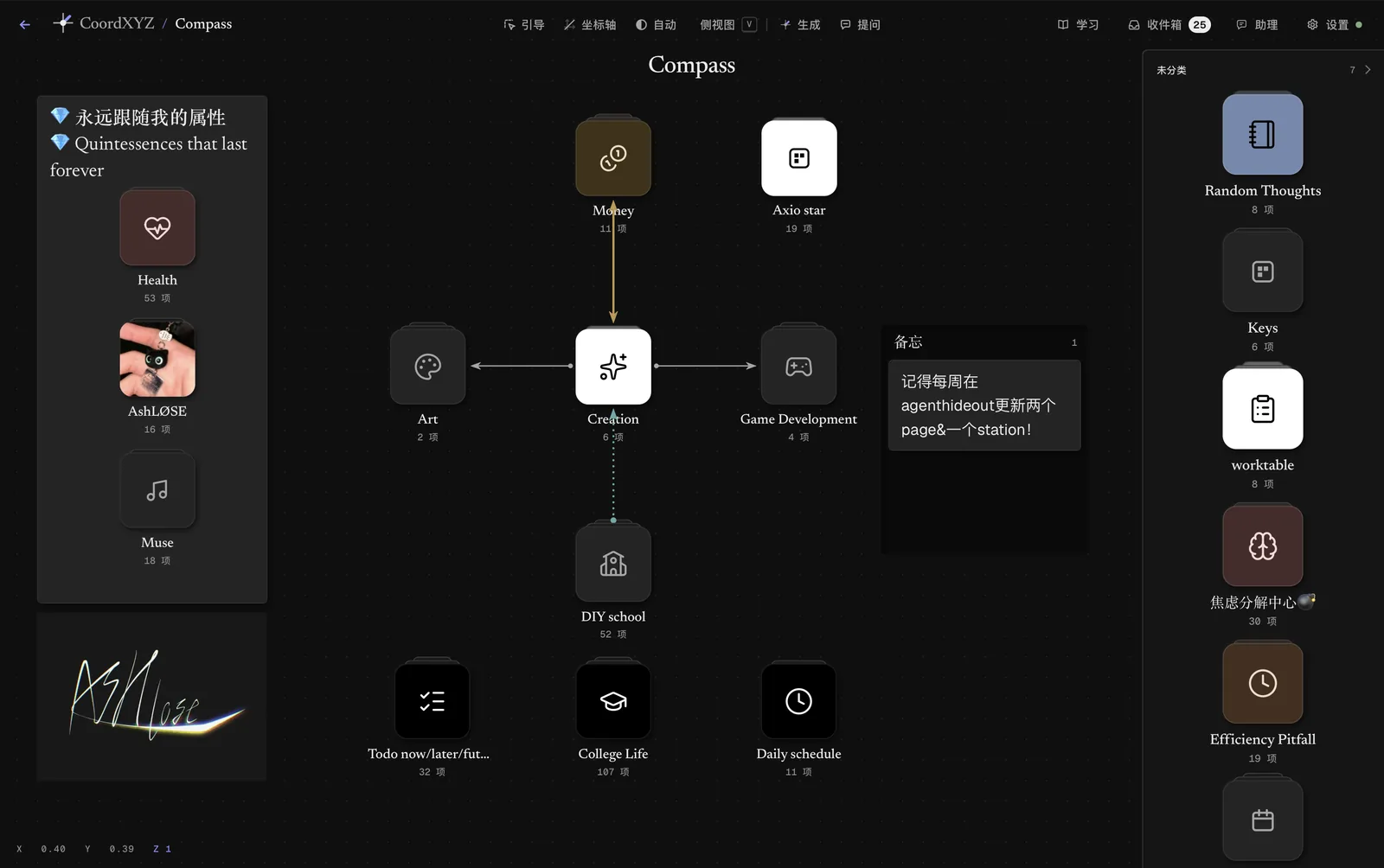
Life Compass
A whole life on one canvas: a board for each part of it, joined by arrows, with ideas not placed yet waiting in Unsorted on the right. Where a thing sits is its structure. (The app's bar is in Chinese.)
Notion and CoordXYZ, side by side
| Notion | CoordXYZ | |
|---|---|---|
| Built from | Pages of blocks, and databases | A canvas you draw on, with boards inside boards |
| Getting started | Choose blocks; set up pages, properties and views | Draw a rectangle: its shape picks what it becomes |
| Structure | Pages nested in a sidebar, and a database's views | Where things sit is their structure, and every level is seen at once, in 3D |
| Pictures and files | Placed in a page, in order | Laid out freely, beside notes and tasks |
| AI | Writes and answers inside your pages and databases | Builds on the canvas, answers from your boards, and keeps linked things written |
| Made for | Team wikis, documents and databases | One person's life and work, visual thinking, reference boards |
When Notion is the better choice
If your work is mostly long documents, a team's wiki, or databases with properties, filters and relations, Notion is built for that, and CoordXYZ isn't trying to be. You can keep both: Notion for the team's documents, CoordXYZ for your own thinking, plans and pictures.
Moving over
There is nothing to migrate before you start. Begin with one board for what is on your mind today, and bring things over as you need them: pasted text becomes a note, a pasted address a link, and files, pictures and PDFs drop straight in. Any canvas can be saved as a .cxyz file, an open, documented format, so what you make is never locked in.
What it looks like
The turn into 3D (moving)
A canvas turning into the side view and back: press V on a computer, or turn the iPad slowly to the right, and every level inside the board stands apart along Z.
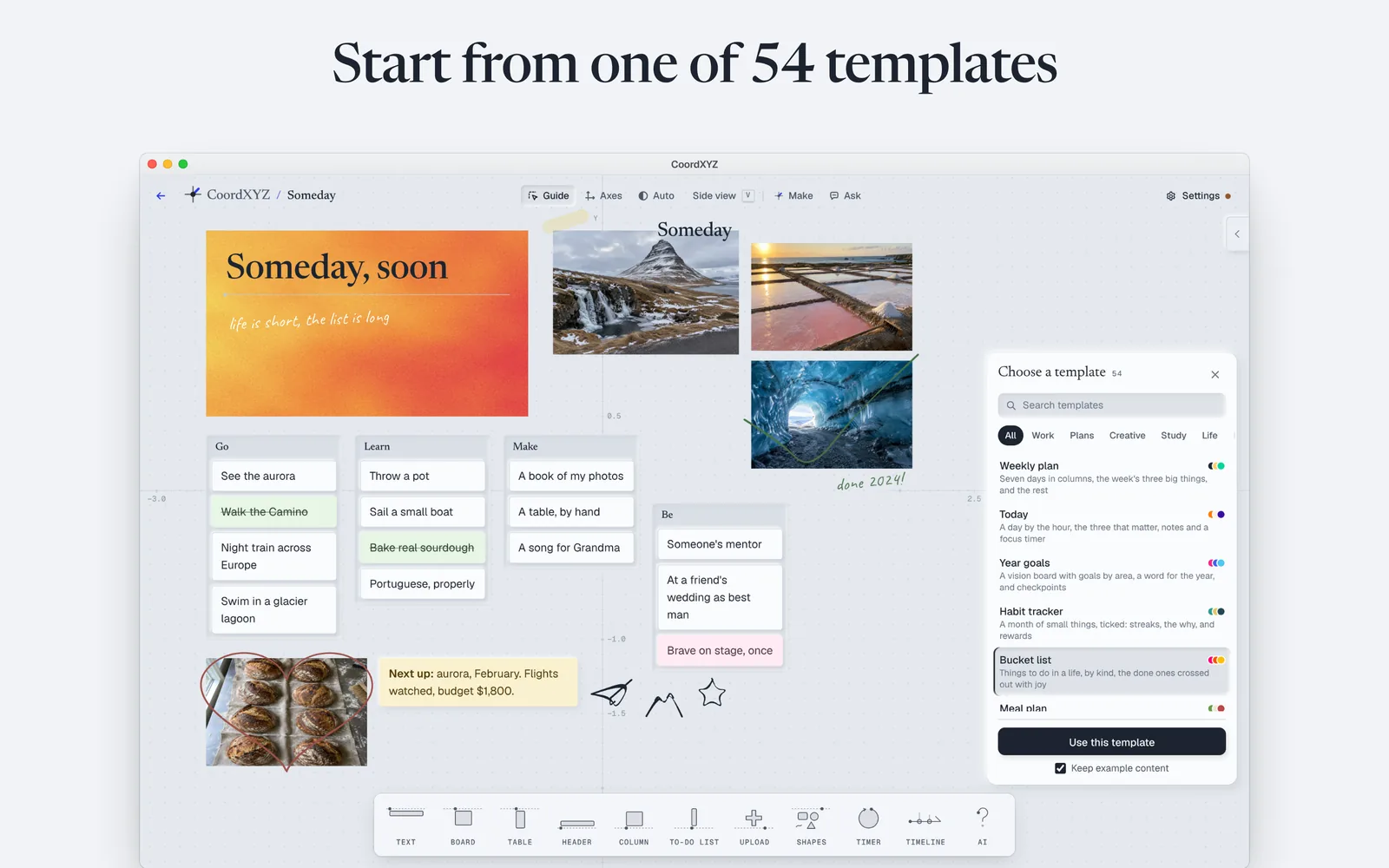
Templates
54 templates to start from, by scenario: Work, Plans, Creative, Study, Life, Home, Health, Money, Travel, Events and Writing.
Questions
Is CoordXYZ easier than Notion?
It is made to be the simplest to start: nothing to set up, and a 30-second tutorial. Notion does more with documents and databases; CoordXYZ does more on a canvas, with boards inside boards seen in 3D.
Does CoordXYZ have tables, like Notion?
It has tables: drawn as a tall rectangle, filled by hand or by the AI, and shown as one of eight charts. It doesn't have Notion's databases, with properties, filters and relations.
Does it work offline and on an iPhone?
Yes: on the web, Mac, Windows, iPhone and iPad, in sync, and it keeps working offline.
Can I get my data out?
Yes. Any canvas saves as a .cxyz file, an open, documented format.
Try it
CoordXYZ runs in any modern browser on a computer, with nothing to install, and as apps for Mac, Windows, iPhone and iPad. One account keeps them in sync as you work, and it keeps working offline.
More guides
- A Miro alternative for your own thinking“Miro is made for team workshops. Is there a whiteboard for my own ideas?”
A canvas for one person's life and work first, with boards inside boards seen in 3D.
- A Milanote alternative with depth you can see“Is there an app like Milanote, but where I can see every board at once?”
Boards inside boards too, and every level seen at once, in 3D and as a map.
- A Life Compass: your whole life on one board“Is there an app that can guide my life, like a life compass or a life dashboard?”
One board for a whole life, a board for each part of it, seen at once in 3D.
比 Notion 更简单的选择
“Notion 太难用了,有没有更简单的?”
CoordXYZ 就是为最简单而做的:不用先学块、数据库和菜单,想要什么就在哪里画出来(细长的长方形是文本,正方形是看板,竖长的是表格),30 秒的引导教会其余的一切。越用越大也一样简单:双击看板就进去,退一步就看全局,还能立体展开。需要更多时,表格、图表、文件、AI、分享和同步都在。
什么时候选 Notion 更合适:如果你的工作主要是长文档、团队知识库,或者带属性、筛选和关联的数据库,Notion 正是为此而做的。两个可以一起用:Notion 放团队文档,CoordXYZ 放你自己的想法、计划和图片。