Guide Compared
A Miro alternative for your own thinking
“Miro is made for team workshops. Is there a whiteboard for my own ideas?”
CoordXYZ is a canvas made for one person's life and work first. Miro is a whiteboard built for teams: workshops, retrospectives, diagrams and meetings. CoordXYZ is built for what you think about every day: boards inside boards, so a whole life or a whole project fits without one board growing endless; the side view, which shows every level at once in 3D; and AI that builds on the canvas. You can still share a board and edit it together.
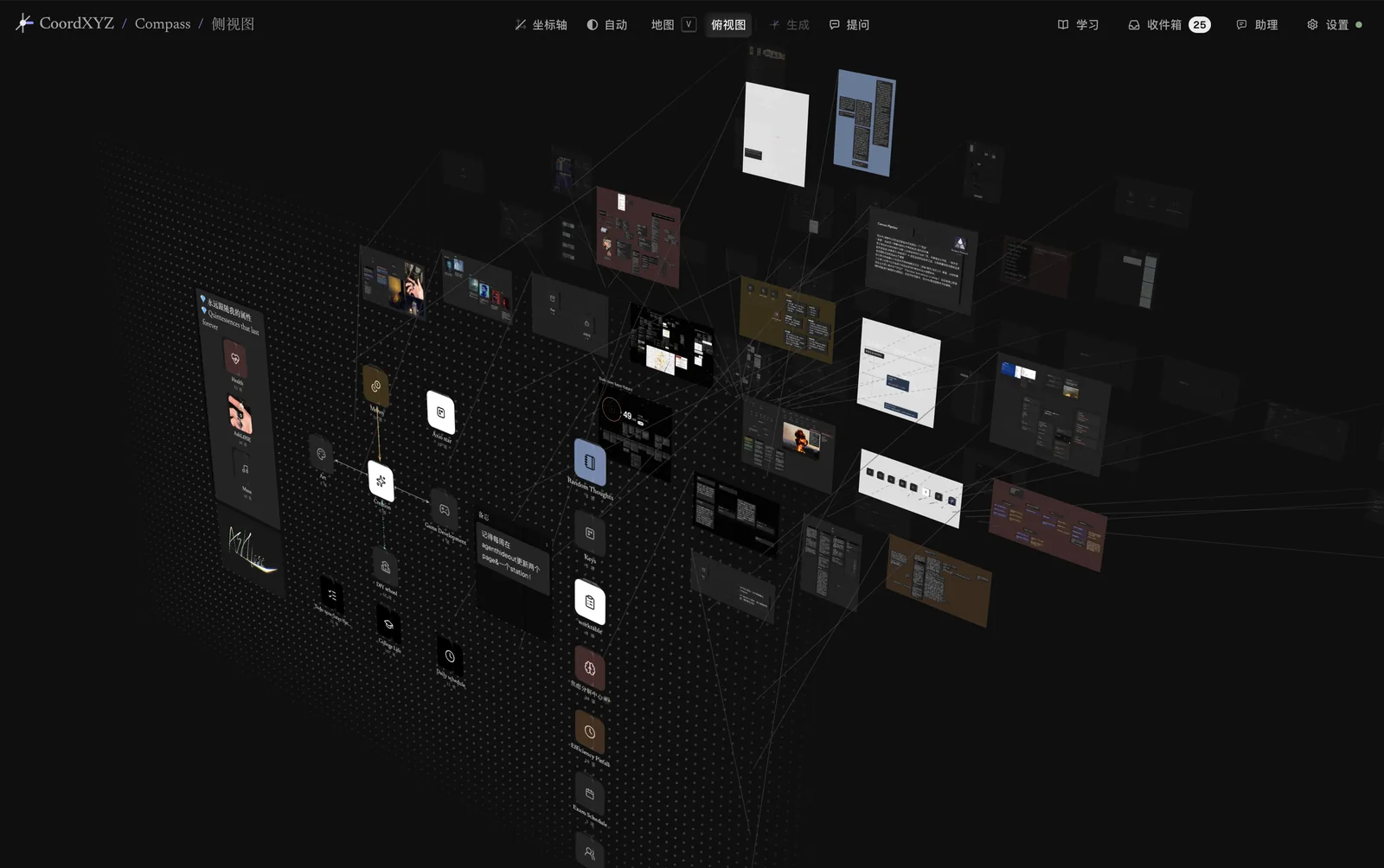
The 3D mind map
A Life Compass in the side view: every board inside it, and every board inside those, stands apart as a layer along Z. A tap on a layer goes straight in.
Miro and CoordXYZ, side by side
| Miro | CoordXYZ | |
|---|---|---|
| Made for | Teams: workshops, meetings and diagrams | One person's life and work first, with shared boards when you need them |
| Structure | One large board per project, arranged in frames | Boards inside boards, each a canvas of its own, every level seen at once in 3D |
| Making things | Toolbars of sticky notes, shapes and templates | Draw a rectangle: its shape picks a text box, a board, a table or a list |
| Best for | Running a workshop, or a team's planning | Your own ideas, plans, references and studies |
When Miro is the better choice
For a workshop with a dozen people at once, sticky-note voting, diagram libraries, or a whole team planning on one board, Miro is built for that. CoordXYZ shares boards one at a time, to view or to edit together, and is made for one person first.
AI on the canvas
CoordXYZ is a whiteboard with AI built in. Make: one sentence, typed or said, becomes headers, lists, tables, boards and mind maps. Ask: answers from your own boards, citing where they come from. AI link: drag from the AI chip on one thing to another, and the AI writes the second from the first and keeps it current. It works with models from OpenAI, Anthropic (Claude), Google (Gemini), xAI (Grok), DeepSeek, Qwen, Kimi and OpenRouter.
What it looks like
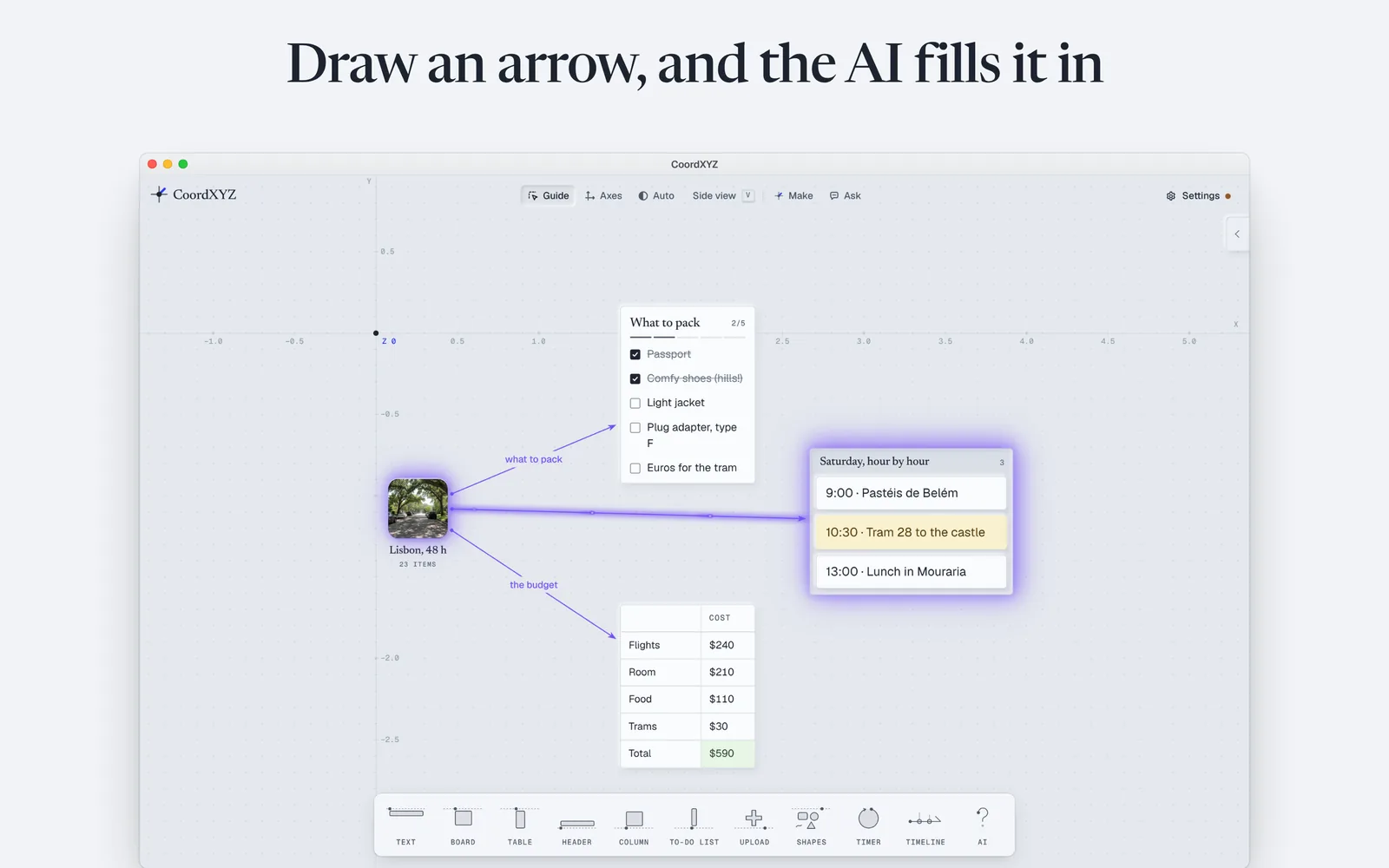
Draw an arrow, and the AI fills it in
AI links from a trip board, Lisbon, 48 h: arrows labelled "what to pack" and "the budget" lead to a list and a table the AI wrote from the board, and a third to an hour-by-hour plan, still being written.
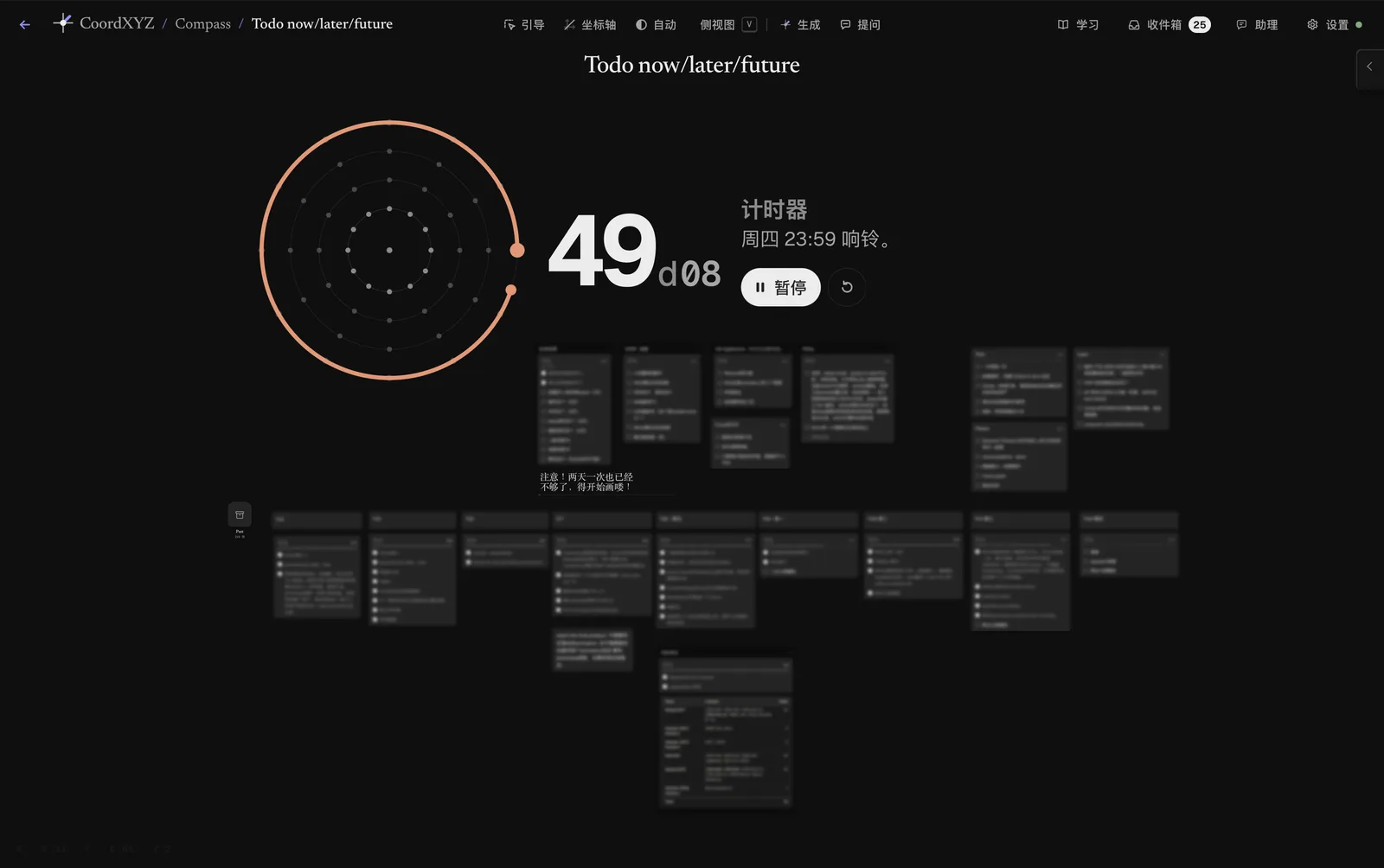
Organize tasks
A to-do board for now, later and the future: a countdown timer, to-do lists by project and a column for each day. (Small personal text is blurred.)
Questions
Is CoordXYZ an online whiteboard?
Yes: an infinite canvas in the browser, and in apps for Mac, Windows, iPhone and iPad, with AI built in. It is made for one person first, with boards inside boards.
Can I collaborate in CoordXYZ like in Miro?
Board by board: send a link to a board to view it or edit it together, live (sharing comes with ProXYZ and UltraXYZ). It isn't made for big workshops with many people at once.
Does it work with Apple Pencil?
Yes. On iPad, Apple Pencil draws ink on the canvas.
Can it make a mind map or a plan for me?
Yes. Press / and say what you need in one sentence: the AI builds it on the canvas as a preview, to keep or to try again.
Try it
CoordXYZ runs in any modern browser on a computer, with nothing to install, and as apps for Mac, Windows, iPhone and iPad. One account keeps them in sync as you work, and it keeps working offline.
More guides
- A simpler alternative to Notion“Notion is too hard. Is there a simpler one?”
A canvas you draw on, with no blocks or databases to learn first.
- A Milanote alternative with depth you can see“Is there an app like Milanote, but where I can see every board at once?”
Boards inside boards too, and every level seen at once, in 3D and as a map.
- A 3D mind map, made of your real work“Is there a 3D mind map?”
Every board a level along Z, and the side view stands them apart in 3D.
Miro 之外,一块给自己用的白板
“Miro 是给团队开会用的,有没有给自己整理想法的白板?”
CoordXYZ 是一块首先为一个人的生活和工作而做的画布。Miro 是为团队做的白板:工作坊、复盘、图表和会议。CoordXYZ 为你每天想的事而做:看板里套看板,整个人生或整个项目都装得下,又不会让一张白板无限变大;侧视图把每一层立体展开,一眼看全;AI 直接在画布上生成内容。需要时也能分享看板,一起编辑。
什么时候选 Miro 更合适:十几个人同时参加的工作坊、便利贴投票、图表素材库,或者整个团队在一张白板上做规划,Miro 正是为此而做的。