Guide Mind maps
Turn a PDF into a mind map
“Can I turn a PDF or a document into a mind map?”
Yes. In CoordXYZ, drop the file (PDF, Word, PowerPoint or Excel) onto a board, choose Make from this… and ask for a mind map. The AI reads the file and builds its ideas as notes joined by arrows, beside the file, so the document and its map stay together. Handwritten and scanned PDFs are read as pictures, page by page.
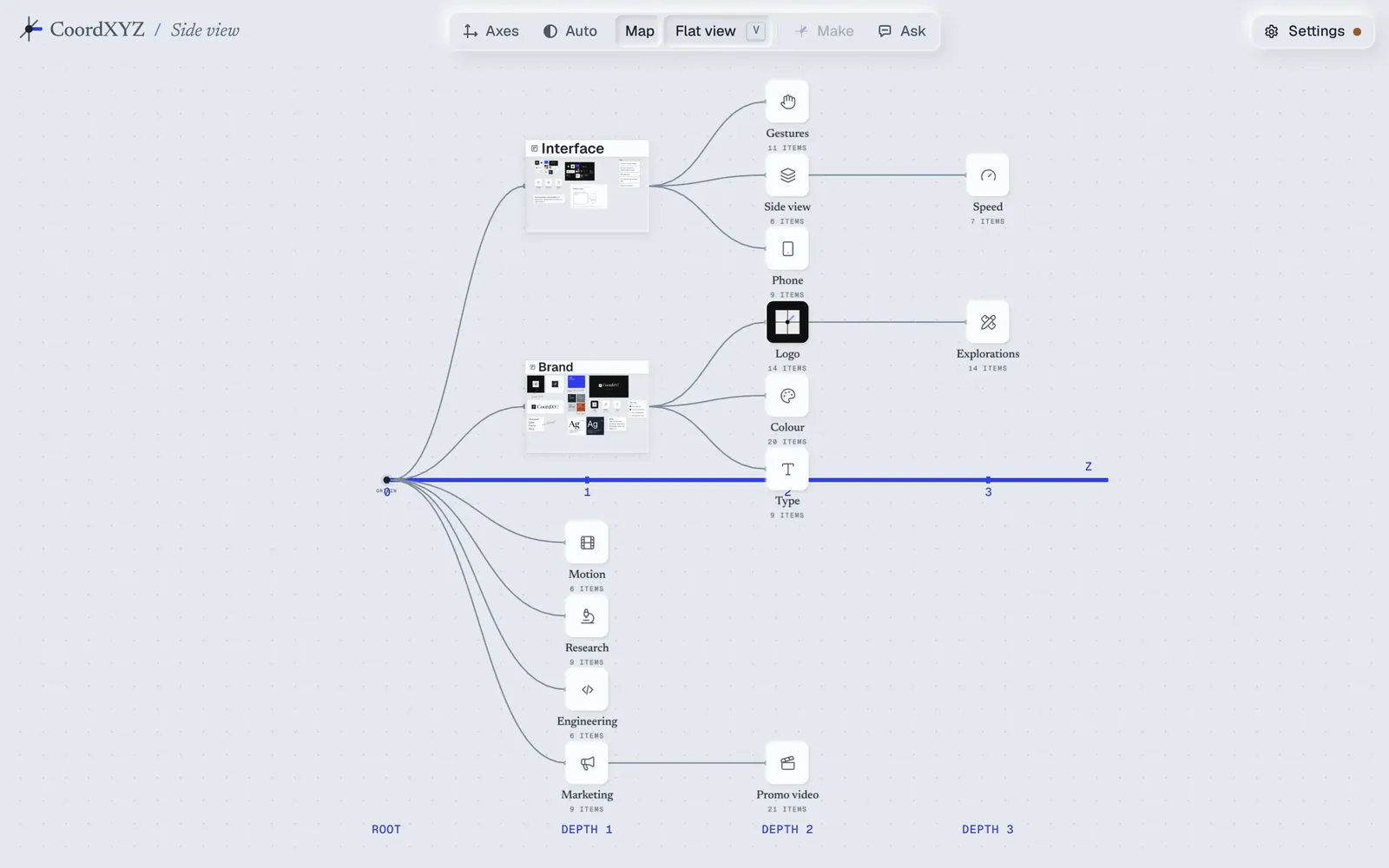
The map
Every board as one mind map, from the root out to the deepest level, here a design guideline's boards. A map the AI makes from a file is built on its board, as notes joined by arrows.
How to do it
- Drop the file onto a board. Drag a PDF, Word (.docx), PowerPoint (.pptx) or Excel (.xlsx) file onto the canvas. It lands as a card with a window onto its first page.
- Make from the file. Right-click it, or use the AI chip on it, and choose Make from this…: the AI box opens with the file as its material.
- Ask for a mind map. Type "a mind map", or say what it should show: "a mind map of the main arguments", "a mind map of chapter 3, with its key terms". Press Enter.
- Keep it, or ask again. The map appears beside the file as a preview: keep it, try again, or change it in a sentence ("add a branch for the examples").
- Give the big branches room. Move a branch onto a board of its own when it grows, and press V to see the whole thing in 3D.
Good to know
- Files
- PDF, Word (.docx), PowerPoint (.pptx), Excel (.xlsx) and text files; pictures too (PNG, JPEG, GIF, WebP), so a photo of a whiteboard or a page can become a map.
- Length
- The AI reads up to about 8,000 characters of each file, a few pages of dense text. For a book or a long report, drop in one chapter at a time and make a map of each.
- Scans
- A PDF with little text of its own, such as handwritten notes or a scan, is read as pictures, page by page, up to 12 pages at a time.
- The AI
- Comes with every account, the free trial's 200 AI credits included.
- Privacy
- Your canvas and its files are never sold and never used to train AI models.
What it looks like
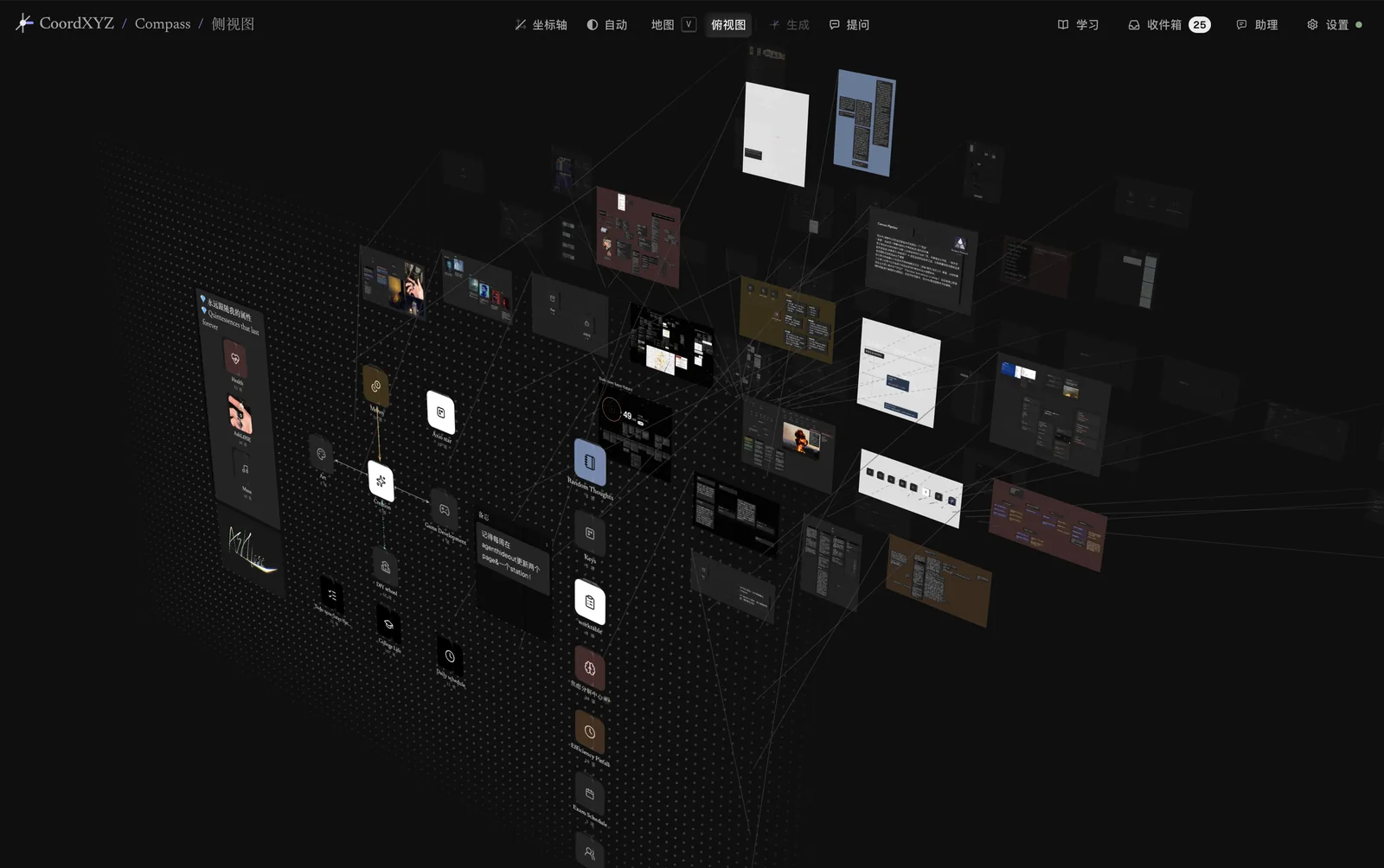
The 3D mind map
Boards inside boards, in the side view: when a map's branches become boards of their own, each stands apart as a level along Z.
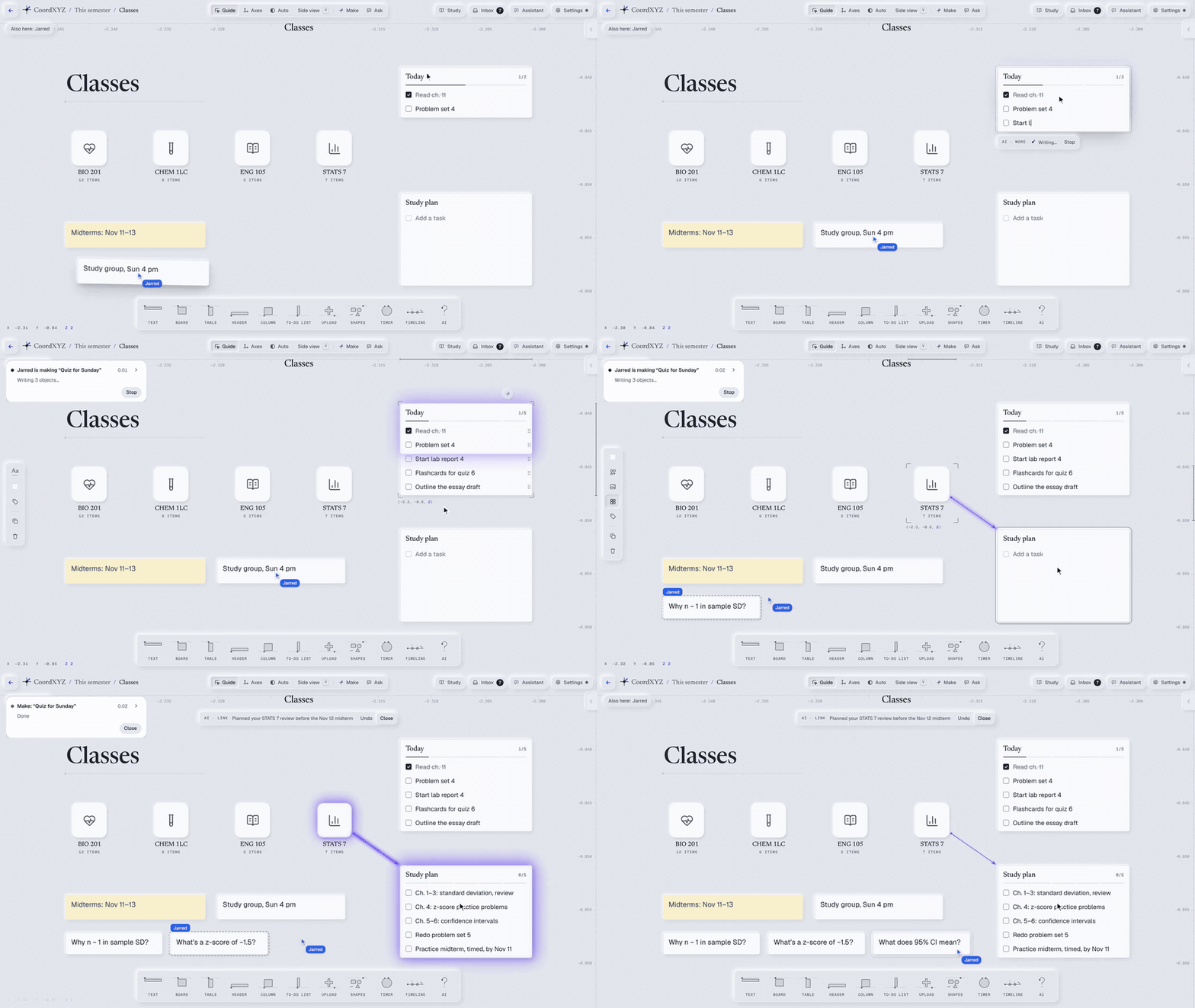
AI link (moving)
The AI at work on a student's Classes board: it adds three tasks to Today, writes three quiz questions, and an AI link from a course board writes the study plan for its midterm.
Questions
What kinds of files can it turn into a mind map?
PDF, Word (.docx), PowerPoint (.pptx), Excel (.xlsx) and text files, and pictures: a photo of a whiteboard or a book's page can become a map too.
Can it read a scanned or handwritten PDF?
Yes. A PDF with little text of its own is read as pictures, page by page, up to 12 pages at a time.
How long can the document be?
The AI reads up to about 8,000 characters of each file, a few pages of dense text. For a book or a long report, drop in one chapter at a time.
Can I ask questions about the document too?
Yes. Select the file and open Ask: it answers from the file first, then from the rest of your boards, and says where each answer comes from.
Is my document used to train AI?
No. Your canvas, and the files on it, are never sold and never used to train AI models.
Try it
CoordXYZ runs in any modern browser on a computer, with nothing to install, and as apps for Mac, Windows, iPhone and iPad. One account keeps them in sync as you work, and it keeps working offline.
More guides
- A 3D mind map, made of your real work“Is there a 3D mind map?”
Every board a level along Z, and the side view stands them apart in 3D.
- Classes, deadlines and school email in one place“How do I keep my classes, deadlines and school email in one place?”
A board per course, the Secretary for school mail and Canvas, and Study's morning questions.
- Capture the three most important ideas in your life“My head is full of ideas and ambitions, but I don't know where to start.”
Put every idea down, then give the three that matter most a board each, every day.
把 PDF 变成思维导图
“能把 PDF 或文档变成思维导图吗?”
能。在 CoordXYZ 里,把文件(PDF、Word、PowerPoint 或 Excel)拖到看板上,选“用这个生成…”,输入“思维导图”。AI 读完文件,把其中的观点生成为用箭头相连的笔记,就放在文件旁边,文档和导图在一起。手写或扫描的 PDF 会按页当作图片来读。
需要知道的:每个文件 AI 最多读约 8,000 个字符,相当于几页密集的文字;整本书或长报告,可以一章一章地拖进来,每章生成一张。生成后先是预览,可以保留、重试,或者用一句话修改。