Guide Creative work
A reference board for lots of pictures
“Where can I put lots of reference pictures?”
On a CoordXYZ board. Drop in pictures, videos, PDFs and links and arrange them freely on a canvas with no edges, with a board for each character, scene or project and notes and to-dos beside the references. Concept artists use it as their reference whiteboard because it is quick to move around and goes everywhere: the same boards on Mac, Windows, iPhone, and iPad with Apple Pencil.
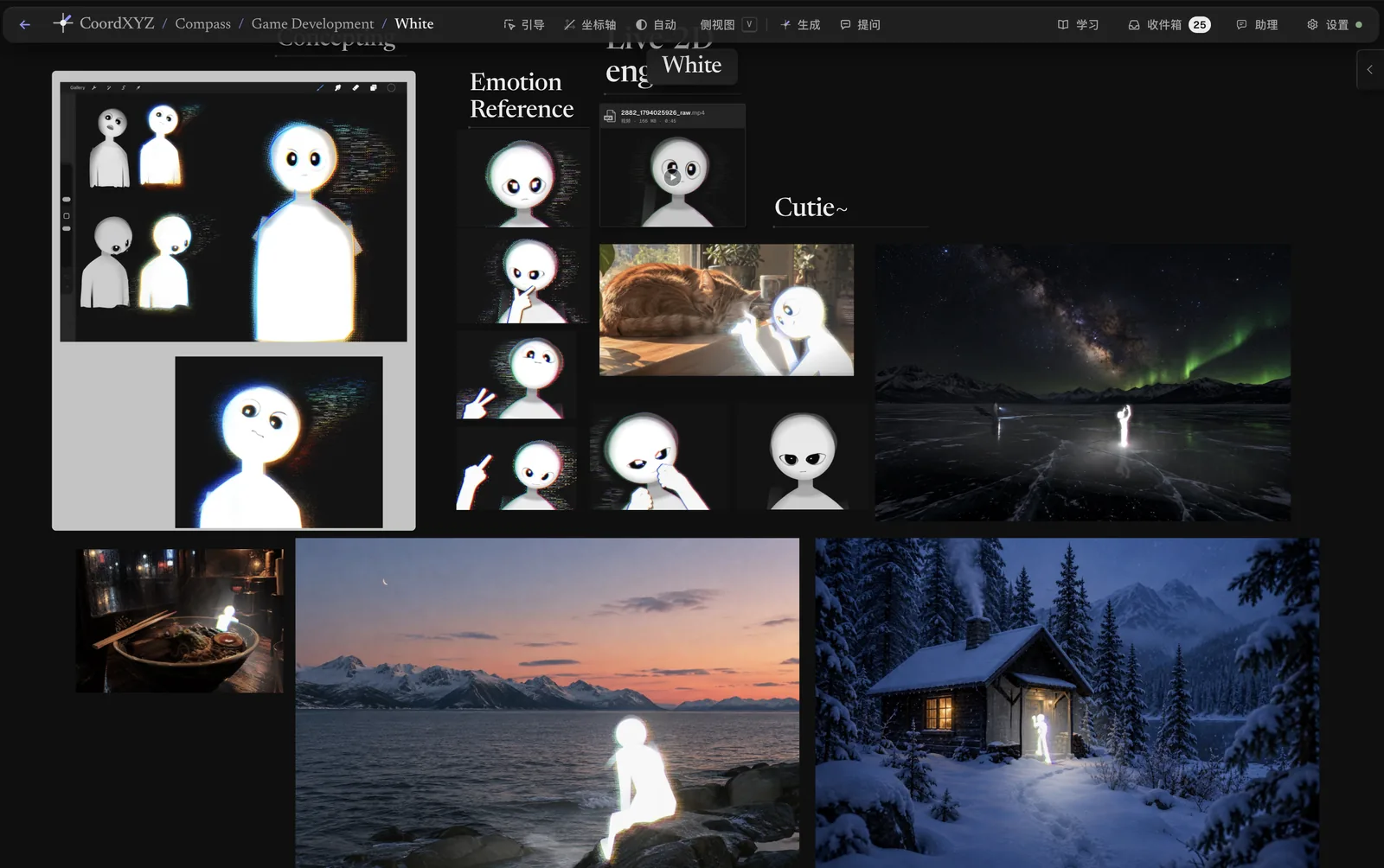
Character design
A game developer's reference board for one character, White: concept sketches, an emotion reference sheet, a Live2D test video, and the character placed into photographs. It lives inside Compass › Game Development, beside the rest of the game.
How to set one up
- A board for each subject. A character, a scene, a project: draw a square for its board (on a computer, drag with the right mouse button held, or with Shift held on a trackpad; on an iPad or iPhone, hold a finger still, then drag) and double-click to go in.
- Drop the references in. Drag pictures in from your folders, paste them, or drop a whole folder: a folder becomes a board holding what it holds. Videos, GIFs and PDFs come in the same way.
- Arrange them as you think. Move and resize them freely on a canvas with no edges; line things up when you want to, or leave them loose.
- Notes beside the pictures. What you like about each, what to change, the to-dos for the next pass. A column holds a set, like expressions, poses or a palette.
- Go deeper as it grows. A board inside the character's board for its expressions, another for its world. The side view shows all of them at once, in 3D.
- Take it with you. The same boards on iPad, with Apple Pencil for sketching beside the references, and on iPhone, in sync.
Compared with other reference tools
| Tool | What it is | How CoordXYZ is different |
|---|---|---|
| PureRef | A desktop window for reference images, made to float beside your drawing app. | References beside notes, tasks and videos, in boards inside boards, on every device, iPhone and iPad too. |
| For finding and collecting pictures from the web. | Your own boards: your references, notes and files, private unless you share a board. | |
| Milanote | Boards for creative work, with boards inside boards. | Every level seen at once, in 3D and as a map, and AI that builds and links. |
If what you need is a frameless window floating over your drawing app, PureRef is made for that, and you can keep both.
What it looks like
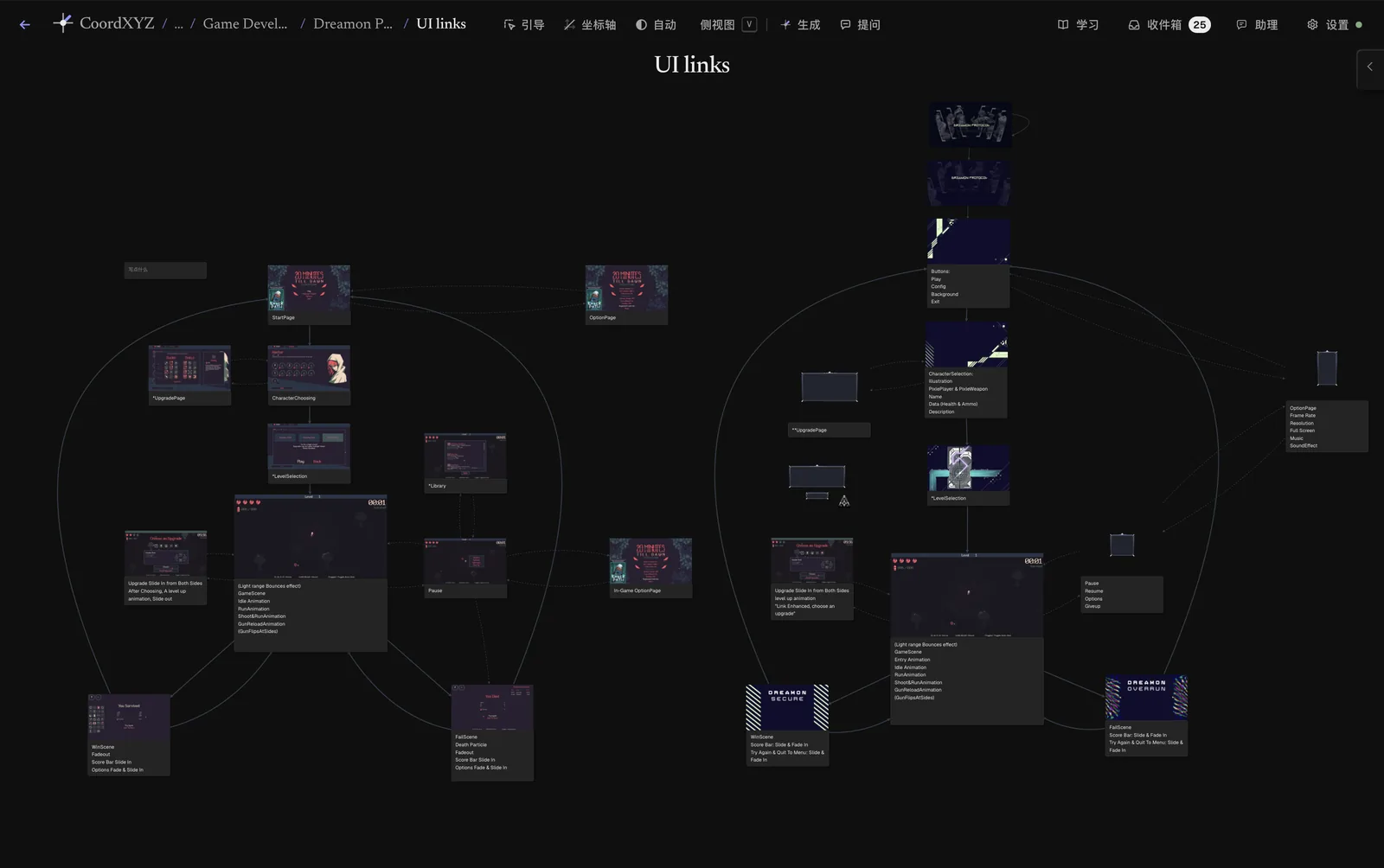
Game UI flow
A game's screens and how each leads to the next, each a screenshot with notes on its animation: a reference game's flow on the left, their own game's on the right.
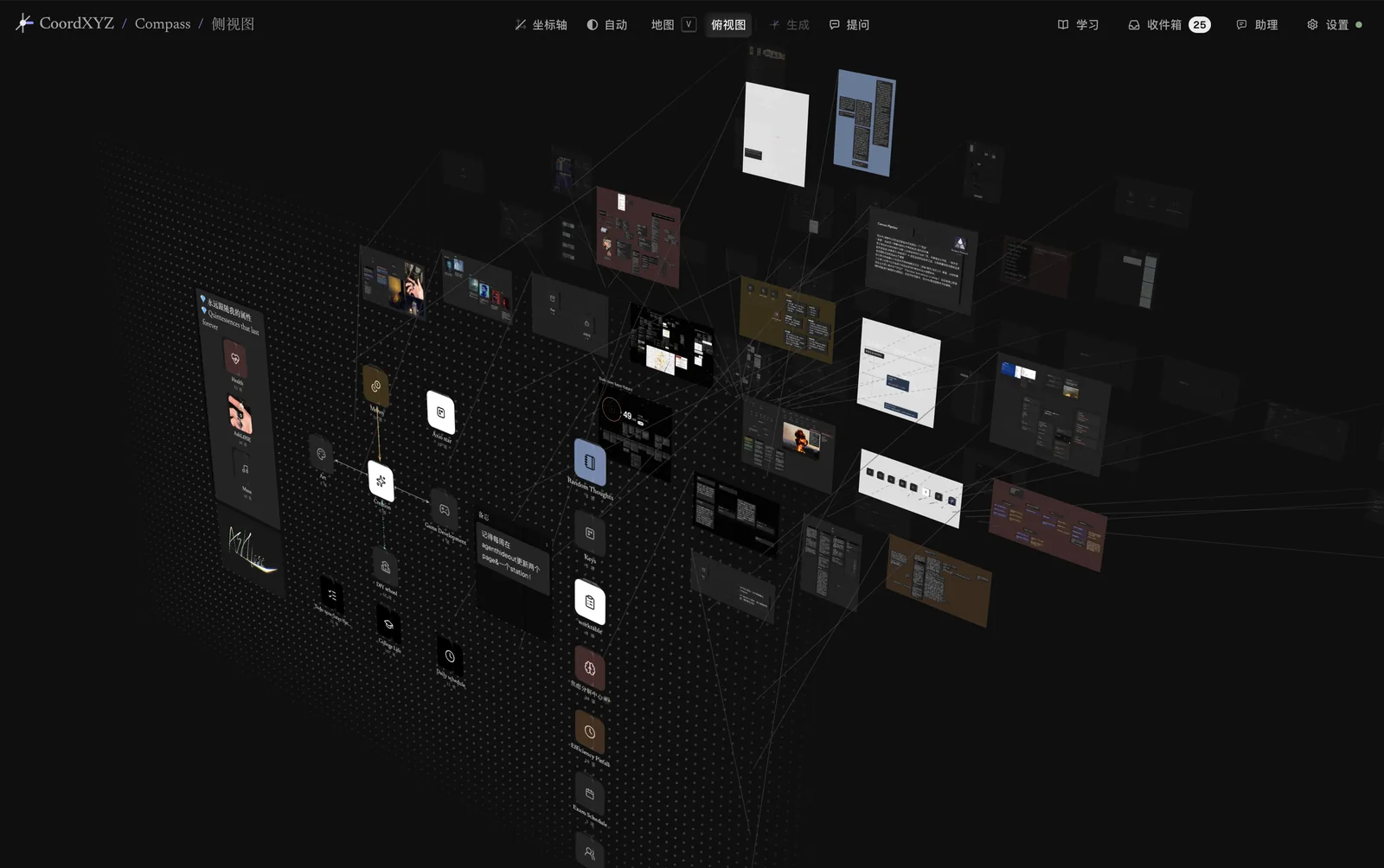
The 3D mind map
Every board in the side view: the character's board sits inside Game Development, one level down, beside the rest of a life.
Questions
Can I use it on an iPad with Apple Pencil?
Yes. CoordXYZ is on the App Store for iPad and iPhone. On iPad, Apple Pencil draws ink on the canvas, and the boards are the same as on your computer, in sync.
How many pictures can a board hold?
The canvas has no edges; what limits it is your plan. The free trial holds 100 objects (each picture is one) and 200 MB; ProXYZ and UltraXYZ have no cap on objects and hold 10 GB and 20 GB.
Can I share a board with my team or a client?
Yes. Send a link to the board, to view it or edit it together, live. Sharing comes with ProXYZ and UltraXYZ.
Can I keep videos with the pictures?
Yes. Videos, GIFs, PDFs and links sit on the canvas beside the pictures, with notes and to-do lists beside them all.
Can I make a mood board?
Yes. The Moodboard, Storyboard and Brand identity templates are a start: open an empty board and choose one at the bottom right.
Try it
CoordXYZ runs in any modern browser on a computer, with nothing to install, and as apps for Mac, Windows, iPhone and iPad. One account keeps them in sync as you work, and it keeps working offline.
More guides
- A Milanote alternative with depth you can see“Is there an app like Milanote, but where I can see every board at once?”
Boards inside boards too, and every level seen at once, in 3D and as a map.
- A 3D mind map, made of your real work“Is there a 3D mind map?”
Every board a level along Z, and the side view stands them apart in 3D.
- A Miro alternative for your own thinking“Miro is made for team workshops. Is there a whiteboard for my own ideas?”
A canvas for one person's life and work first, with boards inside boards seen in 3D.
放大量参考图的看板
“有没有可以放大量参考图的地方?”
有,CoordXYZ 的看板。图片、视频、PDF、链接随手拖进来,在没有边界的画布上自由摆放;每个角色、场景、项目各一张看板,笔记和待办就放在参考图旁边。很多原画师把它当参考图白板:移动起来快,又能随身带着走,Mac、Windows、iPhone 和 iPad(支持 Apple Pencil)上是同一套看板。
小技巧:把整个文件夹拖进来,它会变成一张装着里面所有内容的看板;用“列”放一组表情、姿势或配色;角色看板里还可以再套看板,侧视图一眼看全。免费试用可放 100 个对象、200 MB;ProXYZ 和 UltraXYZ 不限对象数,空间分别为 10 GB 和 20 GB。